Category: Technology

Technology

  • Electrical Upgrades To Consider When Remodeling Your Home

    Electrical Upgrades To Consider When Remodeling Your Home

    Whenever a person remodels or rebuilds a house, he would always consider upgrading those things which are needed to be upgraded and replacing those which are not needed anymore in the house. Everyone would make a list and set to consider everything and decide about which thing is going to remain in the house and which is not and even on the things which are needed to be upgraded.

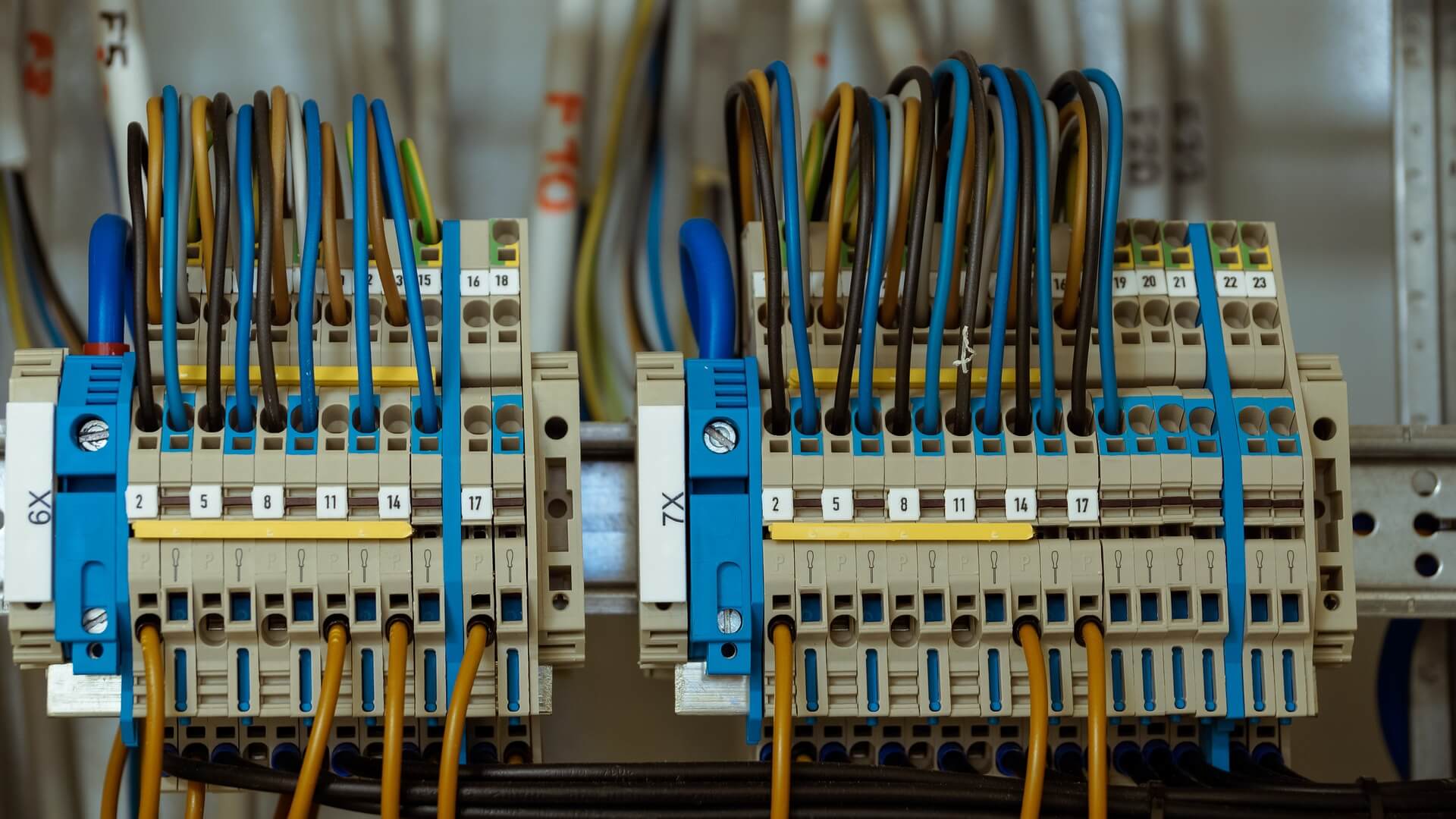
    Electrical Wiring

    You should always think about upgrading your electronics. I know that most of the people would upgrade their electronics very often but you should also upgrade and maintain your electrical wiring.

    Doing so gives you the future option to choose from luxurious remodeling products, like whirlpool bathtubs from Showersly found here, that often require specific wiring for their use.

    Electrical wire repairing and upgrading should be kept in mind and it should be done at regular intervals. Sometimes it may happen that the wiring might not be damaged or unsafe but at long term, it could be bothersome for you. So, it would be better if you do it earlier itself.

    When you are remodeling your home, you should get in touch with licensed electricians to know about the status of your electrical wiring. Listen to what they have to say about it and if the electrician advises to change or repair the electrical wiring system in your house, then you should definitely consider it.

    Most of the electrical wiring system in a house is behind the walls. When you plan for remodeling your house, you should also think about upgrading your electrical wiring system. As it is obvious that during remodeling you would have to open up the walls and it would be the perfect time for you to get some electrical upgrades by calling an electrician.

    Avoid hammering through the wall aimlessly by using an electronic stud finder that can detect wires behind walls regardless of their thickness using an electronic stud finder that can detect wires.

    When should you consider getting an electrical upgrade? Here’s a list:

    • When there is an increase in the number of family members in the house, you would find a need to install more power outlets as and where required. Then this is the best time for you to get an upgraded electrical system.
    • You should check your electrical system for GFCIs (Ground Fault Circuit Interrupters). They are very necessary because they disconnect the power supply immediately when any item connected to electricity comes in contact with water. If they are not installed then you should do it as early as possible.
    • Sometimes it may happen that when you plug in a plug of any item in the outlet, it falls out. This is indicating you that you need to have an electrical upgrade now.
    • Sometimes you may find that homes would have a very old electrical wiring system. They need to change it because our appliances and technology demand a certain level of wiring for proper functioning. Sometimes it may even happen that your appliances could get damaged due to the old wiring system as it could not sustain that load.

    These are some of the points that you should consider and upgrade your electrical wiring system to be safe and have no issues in the house. It is advisable to call an electrician at the time of remodeling your home.
  • Why Every Home Needs A Sump Pump

    Why Every Home Needs A Sump Pump

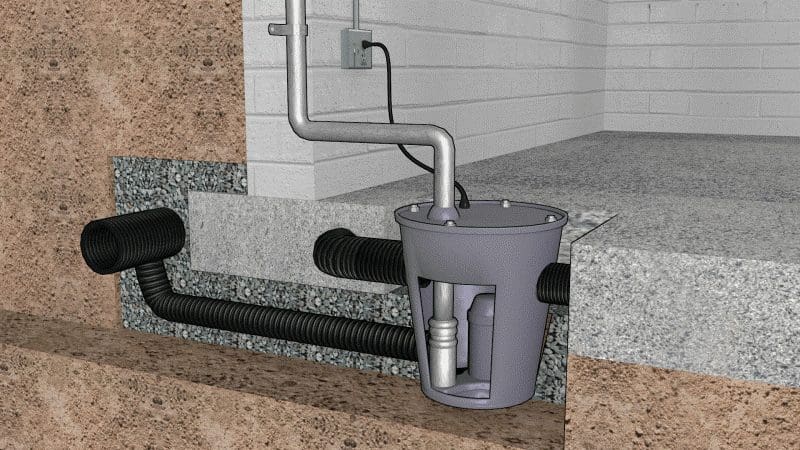
    You do everything you can to protect your basement from flooding – you keep your gutters and downspouts clear and you extended the downspout to keep the water as far from your foundation as possible. You’re fastidious about maintaining your weeping tiles (4″ drainage pipes that route excess water into the ground). Your landscaping is designed and maintained so water flows away from the house.

    But even with all these measures in place to keep your basement dry, you still need a sump pump, especially with fall and winter weather on the way. Heavy sustained rainfall and run-off from melting snow and ice can inundate the soil and overwhelm the external drainage system causing water to seep into your basement.


    When you protect your basement with a sump pump you also protect your health. A damp basement is a breeding ground for mould, which can be especially problematic for people with chronic respiratory issues. Sensitivity to mould can cause eye and skin irritation, sore throat, and difficulty breathing. A sump pump protects your home’s health by preventing cracking of the walls and floors and keeps the house structurally sound by preventing soil erosion.


    In the Greater Toronto Area (GTA) the Toronto Flood Subsidy Program will help defray the cost of counter-flooding measures. Citizens of the GTA who don’t have a sump pump or one in need of repair should contact a licensed plumbing professional like Mister Plumber especially since, as mentioned, fall and winter weather is fast approaching. In 2013 Alberta experienced a severe flood and flooding is projected to become a greater issue for all of Canada in the coming years, so it pays to be proactive.

    A sump pump can also increase the value of your home. The cost of having a flooded basement professionally dried-out and repaired is determined by the extent of the damage and the size of the basement, but on the very low side, it could cost you $500. On the very high side, it could cost you $10.000 plus. In short, by keeping water out of your basement via a sump pump keeps money in your bank account. Also, homeowners who take proper flood precautions (i.e.; having a sump pump) could get a break on their flood insurance premiums.

    There are two types of sump pumps: pedestal, and submersible. The pedestal is the cheaper of the two, and although it is effective, it may not be the best choice for areas prone to heavy flooding; it is also loud, because the motor is above the pump’s catch basin. The submersible is quieter because its motor is below the water line, and is more powerful so it can handle larger amounts of water than a pedestal sump pump. Consult a professional plumber to determine which type is right for you.


    In short, every home should have a sump pump. Not only does it keep harmful mould from growing in your basement, but it can also potentially save you a lot of money in damage. Contact a local, licensed plumber before fall and winter hit – they’ll definitely tell you the same.


  • 7 Tips To Choosing The Right Saw For the Job

    7 Tips To Choosing The Right Saw For the Job

    Before you decide which saw would be the right pick for you, you must first know the kind of job you would like the saw to perform. Different saws serve different purposes; some are used to cut curves, others are used to cut shapes, and some are used to cut through metal. There are no such things as one size fits all when it comes to picking the right saw that will do the job perfectly.

    Another factor that weighs heavily on the kind of saw you pick is the type of material you would be cutting. The type of saw you would use to cut through plywood won’t probably do as good a job if you used it to cut through metal. Head over to this page to find out more tips on how to choose the right saw for the job, every time. But first, below are seven tips to get you started:

    1. The Price

    The size of your budget will play a crucial role in determining the kind of saw you decide to pick. It is generally true that better quality saws will cost a few more dollars compared to poor or second-hand saws. In case you’re looking for a saw that will do an excellent job for the work you have planned, it is wise to dish out a few more dollars and get a new high quality saw that is guaranteed to get the job done flawlessly and last longer. It is also wise to spend some time researching the current market prices to avoid being ripped off.

    2. The Job It Will Do

    The type of work you would be performing weighs heavily on the type of saw you would use. For example, if you’re planning to perform straight cuts say at 45 degrees angles, you would purchase a different type of saw compared to if you wanted to cut out curves or irregular shapes. Similarly, if you’re working on a project with tight spaces, you will need a different type of saw compared to if you’re working in an open space.

    3. The Type of Wood to Be Cut

    There are different types of wood out there. Different saws are ideal for the different types of wood. If you’re looking to cut through softwood, you would best use a saw that has bigger teeth. On the contrary, if you’re planning on cutting through hardwood, it is best to pick a saw that has small, narrow teeth.

    4. The Material of the Saw

    Not all saws are made from the same material. For example, there are brass, steel and diamond saws. Saws made of brass are intended for light duty work because brass is easy to bend and can fracture easily. Steel saws can perform cuts that require more force, whereas diamond saws are ideal for heavy-duty work.

    5. The Design of the Saw

    There are various kinds of designs of saws. Some are powered by electric motors whereas others are hand held. The best type of saw design to select ultimately depends on the type of job you will be performing. Power saws come in handy while doing heavy duty tasks that require more precision and shorter time compared to hand saws.

    6. The Smoothness of the Surface to be Cut

    How smooth you want your surface to be, will determine the type of saw you select. A saw with narrow blades will help to achieve a fine, smooth cut with each stroke leading to a smooth surface. On the other hand, if you’re looking to give a rough edge to your surface, using a saw with big blades will do the job.

    7. The Saw Blade Quality

    It is not always consistent that the quality of the blade will go hand in hand with its price. This is why it’s essential to pay close attention to the quality of the saw blade when purchasing one or when picking which saw to use for a project. It goes without saying that a high quality saw blade would do a better job than a poor quality one. It is also easy to tell the difference between the two; a high-quality saw blade is rust resistant, able to withstand the force and stays sharp longer.

    Selecting the right saw for the job requires that beforehand, you know the kind of job you would like to be done. You should also know the price, material, and design of the saw. Once you have all these factors in mind, you can then make an informed decision and pick the right tool for the job.

  • How To Restore Desktop Background on Mac

    How To Restore Desktop Background on Mac

    One of the first things we see when we successfully turn on our device is a wallpaper, a photo that is installed on the background of our desktop. That image greets us daily before the work starts. It is also the last thing that we look at when we have to roll up our session and attend other businesses. If that little detail of our Mac somehow got replaced or removed without our permission, we wouldn’t feel well and would look for ways to bring it back where it belongs. We get accustomed to small things and don’t even realize how much they matter to us until they disappear, much like with most things in this life.

    Wallpaper Role

    Mac backgrounds usually showcase subjects that we like. Personal photos that bring a smile to our faces and provide us with good memories, stunning images of nature that look great, any other visuals that please our eyes. Whatever the wallpaper may look like, it is cooler than the default one you had the urge to change. Default backgrounds can look okay, but most of the time they are annoying and dull. They don’t make us feel anything, and they have that machinery smell and robotic fragrance. The pics of our choices create the working environment cozier, conditioning us to positive sessions for longer stretches of time.

    Turning It Back

    Let’s say that you run the Mac and find out that your beloved picture got substituted for a default one, be it after the updates or software reinstallment. The early thought on your mind would be to find the image you took a liking too and set it up once again. But what if you don’t remember where it is stored right now, or if it’s even on your Mac? You can always try to find the picture on the worldwide web, but there is still a chance that you will fail to see the exact image that was showcased on your desktop. Don’t be worried, and there are working methods to fix this little problem and reestablish the Mac backgrounds.

    1) To make an initial step towards resurrecting the former image we need to click on the small Apple icon in the top left corner of our screens. In a drop-down menu, we will see many alluring options, but we will only need to click on the “System Preferences”. In order, it is the fourth option.

    2) In the first row, you will see a “Desktop and Screen Saver” icon, next to the icon of “General”. Click on it to get a new menu, which will give you access to the default Apple desktop pics as well as solid colors and folders where your image can be found. There you can also set up a wallpaper change every thirty minutes.

    3) If the image is not in some of your self-created folders and was installed as a background straight from Safari, you can use Finder to look it up for you. A command+shift+g combo will give you a path where you would have to type a ~/Library/Safari/ text. You can also find the sacred picture via iPhoto that is in the aforementioned “Desktop and Screen Saver” folder. Last but not least, browse the downloaded items via “Go” menu and sort the files by type or date to track down your picture.

    Conclusion

    It is not out of the realm of possibility that you deleted the image accidentally yourself. Check the “Trash” and restore the item in just two clicks. The system will not have the liberties to erase one of your media files outright, they are well and safe, just hiding somewhere. We explained how to explore the potential place of wallpaper’s habitat, and it is not a tough task at all.

    The process of restoring Mac backgrounds would not take a lot of your time, the whole operation will require around five minutes of your time at most. Mac backgrounds are not wild animals, and you will get your way around them and bring them back home. We are confident that with our help you will restore the order on your desktop!
  • How to speed up Mac: step-by-step guide

    How to speed up Mac: step-by-step guide

    Professional speed up Mac tips

    For modern users slow laptop is considered unacceptable. Everybody is doing everything possible to speed up their operating systems.

    Eventually, even the fastest computer requires updates, so as not to yield to the rapidly emerging innovations. One of the most popular types of computer technology is the Macintosh model.

    Speed up Mac useful methods

    The conception of basic technique assist the users to speed up Macbook on their own. It is essential to follow all the professional recommendations without deviating from the step-by-step guide. This approach will prolong the irreproachable work of your favorite computer for a long time.

    Disabling some programs or checking the health of components, as a rule, can improve the situation. We present the most effective ways to speed up the work of the Mac computer.

    • Cleaning with the help of the special application.

    Install some third-party software. Such program will save the computer from rubbish files. Remove duplicate programs, clear the caches and get rid of old applications. Freeing up the system drive space make Mac run much faster.

    • Thorough diagnostics of the problem.

    Monitoring the system will show the number of running processes and indicate the amount of consumption of software resources.

    1. Open the Monitoring System.
    2. Choose a function that sorts the programs according to the level of CPU time consumption.
    3. Mark and close the most “massive” programs.

    This method allows you to get rid of the problem for a while. You should not expect to eliminate it. The next launch of the program, which consumes an excessive amount of resources, again slows down the Mac.

    Effective solution

    1. Update the hardware (necessary parts) of the computer.
    2. Replace the application with a less resource-intensive alternative program.
    • Disabling animation functions

    Macbooks are equipped with a lot of practical functions and animation effects. The additions have a negative impact on the speed of the machines. The older the model, the more noticeably the braking of the programs. Significantly slower work series with integrated Intel graphics cards.

    How to solve a problem:

    1. Turn off the animation and the transparency effect.
    2. Through Settings panel and the “Universal access” line open the Monitor tab.
    3. Activate the item “Reduce transparency”.
    • Disable the encryption mode.

    Few people know about the FileVault encryption function. In some Mac series, it is installed by default to prevent theft of user data in case the computer is lost. If this function is disabled, the performance of the equipment will immediately increase.

    How to close FileVault:

    1. Open Protection and Security.
    2. Deactivate the FileVault application.
    • Automatic launch of applications.

    For the convenience of the user, many programs run automatically and continue working in the background mode. The more applications available, the lower the speed of the system. To fix the problem, it is better to turn off those resources that are not used.

    1. In Settings select Users and Groups.
    2. In the Login Objects window remove the markers near applications that are not used.
    • Review indexing.
    1. When the Spotlight system is updated, the additional indexing process activates. This function is not adjustable via the Settings panel. It can be deleted in the Terminal using a special command:

    sudo launchctl unload -w /System/Library/LaunchDaemons/com.apple.metadata.mds.plist.

    It is available to reactivate this function after entering the same symbols but the word “unload” changes to “load”.

    1. When photo recognizing faces to comply with privacy conditions, the process occurs directly in the Mac system. This function causes a slowdown in the system. You can disable it through the System Monitoring panel and deactivate all processes that are designated as “photos”.
    • General cleaning of the system

    The hard drive has to be cleaned periodically.

    1. Activate the Apple logo in the corner of the monitor.
    2. Click the Vault and do the cleaning.

    Zeroing out the parameters of the system management controller (SMC) positively affects the operation of the operating system.

    You should disconnect the computer from power and switch on the PC charger. Hold down the power key and simultaneously the Shift + Control + Option keys. The system freed up without additional confirmation. The parameters reset automatically.

    When going to the web, you should use Safari browser, which is recommended for Mac computers for its lightweight commands and functions.

    Hope our instructions helped you to speed up your Mac a but. If not – here is more information about how to speed up Mac in simple ways.

  • Reasons Why You Should Develop a Classroom Scheduling Software

    Reasons Why You Should Develop a Classroom Scheduling Software

    Computers have made our lives easier throughout the ages. From the oldest analog computers that were used to help ships navigate their way around using the stars, all the way to the most modern digital models, these machines are capable of quite a bit. Digital computers would be nothing without software, however.

    There are so many different programs and pieces of software on the market that it can get a little bewildering. Some programs will make things much easier for you if you work in the educational field. Over the course of our article, we’ll be looking at why you would want to develop a classroom scheduling software.

    What is Classroom Scheduling Software?

    As you may have guessed from the name, classroom scheduling software is a program that is used to help you schedule your classes and other matters related to education. These programs can do quite a bit more than keeping you organized, but that is their main purpose.

    For example, some classroom scheduling software will automatically notify you if you have a class soon, while other ones will even ring an alarm to make sure that you go. One thing to consider is that classroom scheduling software can help both teachers and students ensure that things go more smoothly.

    macbook APP

    Reasons to Develop Classroom Scheduling Software

    There are many reasons why you would want to develop your own program for scheduling your classes, but we’ll look at two of the most pertinent ones. Of course, everyone has different preferences when it comes to programs like these, so keep that in mind.

    You Get to Pick the Most Useful Features

    When you develop your own classroom scheduling software, you have the advantage of being able to choose exactly what kind of features and aspects you would like to include in it. This will end up streamlining the program to do exactly what you need it to instead of having a bunch of useless features.

    Whenever you design your own program, you have the advantage of being able to customize everything to your liking. Another benefit to creating your own software is that you know how everything works under the hood, so you should be able to adjust things later on with greater ease.

    You Save Money

    Developing your own classroom scheduling software also means that you’ll be able to save money since you won’t need to buy the program from anyone else. Of course, it will take you time to create the program, but someone with a reasonable amount of programming experience shouldn’t have any problems.

    That isn’t even considering the fact that you can sell the software later on to finance the purchase of other programs that you may need. A little bit of work can end up going a long way when it comes to classroom scheduling software.

    Conclusion

    As you can see, classroom management software is indispensable, and creating your own can help optimize the features as well as earn you a bit of money. Thank you for taking the time to read through our guide.

  • 5 Affordable Low-profile Air Conditioners

    5 Affordable Low-profile Air Conditioners

    Summer is finally here, and one could safely assume that you are searching for alternatives to cool during this hot season. If you live in a small apartment and you do not have very much space to spare, you might think that you have no other option than to soldier through the scorching heat by using a fan.

    However, there is no need to take the fan out of the attic and stock up on napkins. Instead of resorting to improvised methods of cooling, you might want to consider purchasing a low-profile air conditioner. A device of this type will not only cool your small space in a timely fashion but will also help you save up on energy bills.

    Since there are so many products on the market, we have gathered a small list of affordable units to make your decision easier. For the purposes of this article, we have picked a handful of units with good price-quality ratios. If you want to see other low-profile air conditioner models, you could read more reviews on Best10Anything. Without further ado, here are five affordable low-profile air conditioners.

    Koldfront 12,000 BTU Window Air Conditioner

    This first model of low-profile air conditioner is perfect if you are looking for something small, efficient and without any fancy features. This 12,000 BTU model can cool off a room measuring up to 550 square feet. It has all the basic features that every low-profile air conditioner should have, such as a filter alert, an energy saver mode, a 24-hour timer, and a remote control. On top of all that, it is very easy to install and set up without professional assistance, so you will not have to spend money on a technician. Its only downside is that it might be a little too noisy for some people’s liking, but you will get over it as soon as you see how much money you will save up.

    Friedrich Chill 6,000 BTU Air Conditioner

    While the Friedrich Chill might fall short when it comes to BTU, it more than makes up for this small drawback by being one of the most energy efficient low-profile air conditioners on the market. This mid-sized unit has two features that support energy efficiency, namely, the fan spinning only in the midst of cooling, and the fact that it includes a 24-hour timer that allows users to program on/off times.

    If you suffer a power loss, the machine will resume its activity with previous settings, so you do not have to set it up every time this happens. On top of that, it makes very little noise, which makes it very suitable for families with small children, or people who live in apartment blocks with thin walls.

    Keystone 10,000 BTU Window Air Conditioner

    What the Keystone lacks in BTU, it compensates through great coverage and intuitive control schemes. The well-designed remote control features a ‘’Follow me’’ function, which means you can control and set up the air conditioner from anywhere within a room, as long as it does not measure more than 450 square feet. The unit comes with a high-quality LED display that allows for easy settings management, as well as a mesh filter that is very easy to clean and maintain. Adding to the list of useful functions are the auto-restart function, energy-saver mode and an alert that warns users in case there is something wrong with the filter.

    LG LW8016ER 8,000 BTU 115V Window-Mounted Air Conditioner

    This LG model is perfect for people who want something simple, efficient and easy to control and install. While the coverage could be better (340 square feet), it is small enough to fit in a medium-sized room without occupying too much physical space. According to the user manual, it has a 12.1 energy efficiency ratio, with a dehumidification capability of up to 2.2 pints per hour, facts which make this unit very suitable to places with humid tropical climates. Therefore, if you are looking for something efficient that does its job well, then this low-profile air conditioner from LG might be right up your alley.

    Haier Serenity Series 6050 BTU Air Conditioner

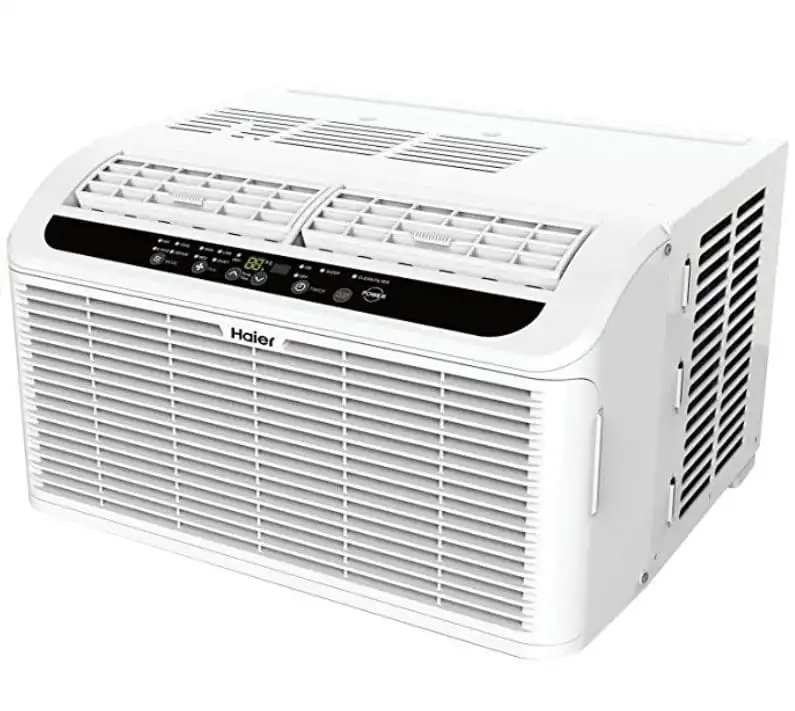
    This Haier unit comes with four different modes that will help you save a lot of money in energy bills: energy saver, dehumidify, fan and cool. One of the best perks of this model is the fact that, thanks to its compact size, it can be mounted on pretty much any window without occupying too much space and ruining the aspect of the room.

    But, like always, there is a catch: with a BTU just slightly above 6,000, this low-profile air conditioner can cool rooms measuring between 150 and 250 square feet. On the other hand, it is one of the most silent air conditioner units on the market (43 dBA) thanks to its compressor blanket. As for the other features, it has a sleep mode, an auto cool function, and a 24 hour on/off timer.

    Conclusion

    This was our selection of the five most affordable low-profile air conditioners on the market. If you are facing spatial restraints or you are simply not willing to drop too much money on a standard air conditioner, a unit of this type is a great long-term investment. Make sure to read through our picks, and you will surely find a model that is to your liking.  

  • How a Smart Office Makes Work Easier

    How a Smart Office Makes Work Easier

    Beyond automated cleaning gadgets, futuristic sensors, and sleek screens, using smart technology is more than just a fashion statement or an attempt at looking modern and “in the know”. These are practical measures taken to make sure that workers are comfortable during work while helping them increase their efficiency and productivity.

    Looking at the way business is being done these days, collaboration has become pivotal to the success of a campaign or project. One misstep in communication may mean trouble for those barely managing their respective teams. So with the advent of smart technology, work life is greatly improved by the many ways it creates a connected experience in the office.

    Let’s explore the reasons smart technology can help make office life, and indeed the way we do work, easier.

    Smart software cuts unnecessary processing time

    Certain, manual processes take an awfully long time to finish. This eats up man hours that should have been spent finishing tasks. Spending way too much time keeping records and processing billing manually affects that speed with which we close a project. That is why we often find ourselves rushing to finish them near the deadline.

    With smart software like a cloud system or an automated office system that updates records in real-time, all of these unnecessary waste of work time is eliminated. Instead we only need to bother ourselves with feeding the system with pertinent information and then allow it to organise and process it.

    Additionally, these systems are most likely going to be more accurate now that the danger of human error has been eliminated. So you can be sure that your records and billings are immaculate.

    Real-time data helps companies predict complications

    Because a smart office system collects data in real-time, companies avoid being reactionary. Instead, they will be able to anticipate complications that their campaign might experience after executing a plan. These includes analytics for website visits, conversions, and indeed, even for calculating man hours.

    A company that has set up smart systems to capture Big Data, whether it’s profit earning (business conversion) or for managing office production, is a company that can make sound decisions.

    More opportunities for collaborative work wherever you are

    Interconnectedness is at the core of smart offices. The way work is evolving, most prefer doing business when they are face-to-face with clients. Which means there is a high possibility that a team member will not be present in meetings or important huddles.

    But because opportunities for growth have evolved as well, we cannot afford to miss any of these discussions. It seems that there is a need for each member of the company to be constantly connected, to be updated by everything that is happening in the team. This is where The Internet of Things (IoT) come in.

    Simply refers to connection of different devices to the Internet, whether these are your smartphones, laptops, even cars or various office appliances. When you cannot avoid but work remotely, the inter-networking provided by IoT will allow you to manage both your work and other members of the team.

    Technology that allows you to do all of these are already in the market

    If you are worried about installing different types of software to create a smart office, then you must take a look at Google Home.

    More than just a voice-activated digital assistant, Google Home can actually be used as a messaging center (queuing up calls and texts, or scan emails), edit documents (sync it to Gmail and edit documents via voice prompts), automate your whole office (control lighting, air conditioning, and so on), or use it to organise your office schedule.

    You can even create your own AI-powered skill to address a gap in productivity in our office. For instance, you can develop skill where Google Home’s Alexa can answer customer inquiry all on its own.

    You can check out Google Home deals from Harvey Norman, and expect to see significant changes in how you and your colleagues do work.