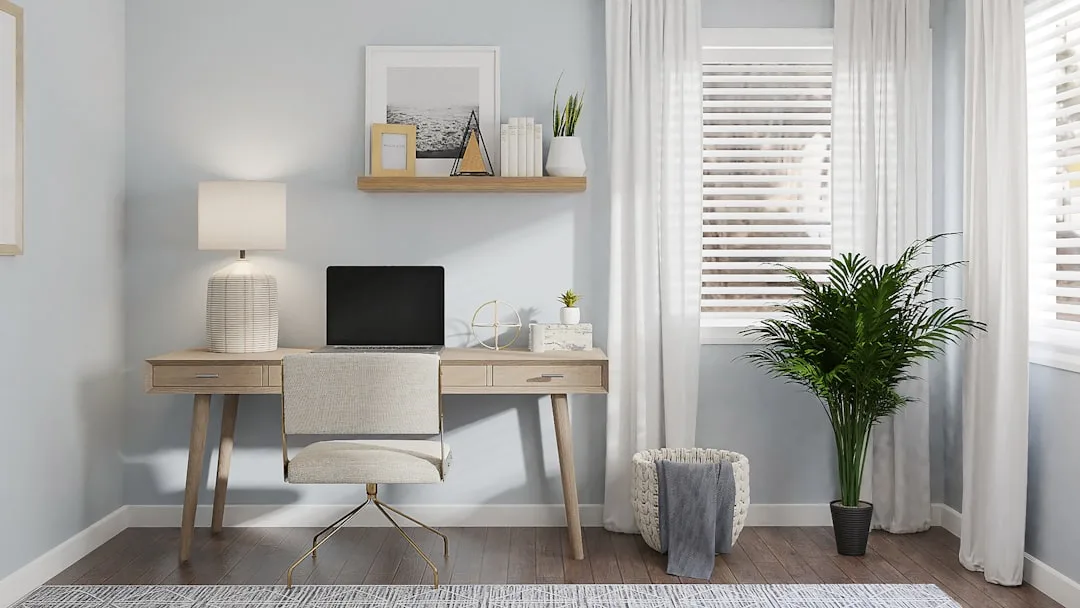
Most floating desks fail within a year — not because they fall off the wall, but because they were mounted at the wrong height, on the wrong wall type, or bought at the wrong depth to actually work at. If you’ve been searching for floating desk ideas for small rooms, the surface looked right in the product photo. It looked right on the wall, too, at least for the first week. Then came the neck strain, the wobble, the creeping realization that a 14-inch-deep “desk” is just a shelf with better marketing.
Quick Answer
Most floating desks fail within a year — not because they fall off the wall, but because they were mounted at the wrong height, on the wrong wall type, or bought at the wrong depth to actually work at.
I spent eleven years hanging things on walls that needed to stay hung — in studio apartments in Wicker Park, in 400-square-foot walk-ups in the East Village, in renovated two-flats where the walls were plaster over brick and nobody had updated the wiring since the Carter administration. Floating desks came up constantly, especially once clients started working from home and suddenly needed an office where none had existed. What I learned is that the decisions that matter most happen before you buy anything.
This is the guide I wish existed before I helped a client mount a beautiful walnut slab at 34 inches high on a wall with one stud, in a room where she used an office chair that put her elbows at 27 inches. She used it for three weeks.
Why Floating Desks Work Differently Than You Think
In This Article
- Why Floating Desks Work Differently Than You Think
- The Wall Assessment You Have to Do Before Buying Anything
- Floating Desk Depths That Actually Fit Real Bodies
- Height, Chairs, and the Ergonomic Math Nobody Shows You
- Material and Finish Choices That Hold Up to Real Use
- Five Floating Desk Configurations Worth Considering
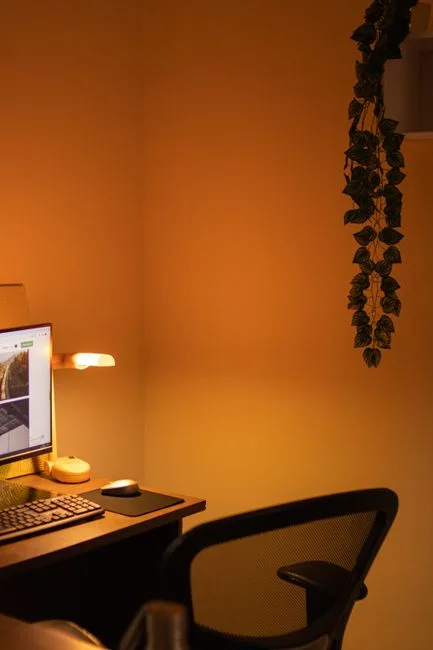
Saving floor space is the obvious pitch. It is also the least interesting thing a floating desk does for a small room. The more significant effect is what happens to your perception of the room when you remove furniture legs from the floor plane entirely.
Four desk legs in a small room — and I mean a room under 180 square feet — don’t just take up space. They fragment it. Your eye reads each leg as an interruption, a visual stop sign, and when there are four of them clustered together in a corner, the floor looks occupied even if the actual square footage claimed by the desk base is modest. Perceptual psychology research on interior environments has consistently found that rooms with fewer visible furniture legs are rated as feeling more spacious when viewed from the doorway — and that effect holds even when total furniture mass stays constant. The legs are the problem, not the desk.
Wall-mounting eliminates the legs tax entirely. What you see from the doorway is a surface — thin, horizontal, flush to the wall — and below it, unbroken floor. That continuity of floor plane reads as openness, even in a room that is technically just as full of stuff.
There is a second perceptual effect that I have watched play out in real rooms more times than I can count. Mounting a surface at desk height — 29 to 30 inches — draws the eye up from the floor and anchors it at a mid-wall position. This subtly encourages upward gaze, which is one of the oldest tricks for making a room feel taller. A freestanding desk, by contrast, plants itself at floor level and competes with every other piece of furniture for visual territory. A floating desk becomes part of the wall plane itself, reducing the number of distinct visual elements the room contains. One fewer thing competing for attention means one more degree of perceived calm.
The mistake I see in almost every small-space design I have been asked to rescue is that the homeowner treated floor space as the only resource. Walls are structural, yes — but they are also spatial real estate, and a floating desk is one of the few ways to spend that real estate productively without making the room feel more cluttered in the process.
Actionable takeaway: Before buying anything, stand in your room doorway and count the furniture legs visible from that angle. If the number is above eight, you have a visual fragmentation problem — and a floating desk addresses it directly.
The Wall Assessment You Have to Do Before Buying Anything
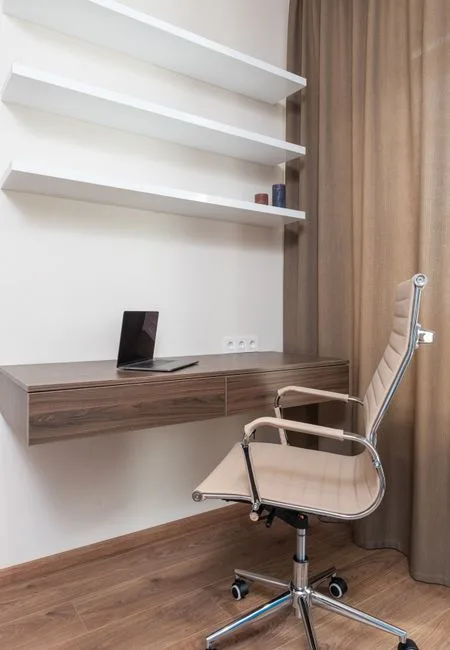
Here is the part nobody wants to sit through, but skipping it is exactly how you end up with a desk on the floor and a patch of drywall that looks like a minor explosion. I have watched it happen. The client bought the desk, eyeballed a spot they liked, drove in some hollow-wall anchors rated for 30 pounds, and mounted a surface they planned to actually work at. Six months later, the front edge had dropped two inches.
A standard working desk surface needs to support at least 50 pounds of static load — a monitor, a laptop, a power strip, a lamp if you put one on it, and the weight of your arms when you are tired and leaning. Most decorative wall shelves are rated for 15 to 25 pounds. Those are two completely different structural categories, and the packaging rarely makes that distinction loudly enough.
Before you touch a drill, you need to answer four questions about your wall:
- What is it made of? Drywall over wood studs is the most forgiving scenario. Plaster over lath — common in any home built before 1950 — requires different anchors and often hides irregular stud spacing. Concrete and brick walls, which appear constantly in urban apartments and converted commercial spaces, require masonry anchors and a hammer drill. Most flat-pack floating desks include neither, and the instruction sheet assumes modern drywall.
- Where are the studs? Standard framing is 16 or 24 inches on center. Your bracket span must align with actual stud locations — not with the visual center of your wall, not with whatever spacing looks balanced. A stud finder costs $20 and is the most useful $20 you will spend on this project.
- How many studs can your bracket span reach? For any surface you will actually lean on, anchor into at least two studs. One stud creates a pivot point. The moment you put asymmetric load on a one-stud mount — reaching for something, resting one elbow hard — it begins working loose.
- What is the wall condition around the mount point? Old plaster can be soft, crumbly behind the surface layer, or reinforced with steel mesh. Drywall near corners or around windows is sometimes single-layer or badly patched. Both conditions reduce holding strength dramatically.
Hollow-wall anchors are safe for items you look at. Desks are items you use, lean on, and occasionally grab when you’re pushing back from the chair. Those two categories require fundamentally different hardware.
Actionable takeaway: Before purchasing your desk, drive a finish nail into your intended wall location. If it sinks through cleanly with light pressure, you have hollow drywall — find the studs before you buy any hardware.
Floating Desk Depths That Actually Fit Real Bodies
Depth is where small-room floating desks go wrong most consistently, and it goes wrong in the same direction every time: too shallow. The surface looks proportional in a photograph — crisp, minimal, elegant against a white wall — and then you sit down to use it and discover that your monitor is eight inches from your face.
Ergonomic guidelines recommend a minimum of 20 inches of desk depth for a single monitor setup — and that is the floor, not the target. Twenty inches puts a 24-inch monitor at roughly arm’s length when you are seated upright, which is already marginal for most adults. If your monitor is 27 inches or larger, you want 24 inches of depth minimum. If you use a laptop on a stand with a separate keyboard, 18 inches can work, but only because the screen sits higher and slightly farther back than a monitor on a flat surface.
The depths you will actually encounter when shopping break down like this:
- 12 to 15 inches: Marketed as desks, functional as display shelves. Adequate for a tablet propped at an angle, nothing else. Neck strain begins within one session of real work.
- 16 to 18 inches: The gray zone. Usable for a laptop if you accept a forward head posture, or if the laptop is your only screen and you keep the display tilted far back. Not acceptable for any external monitor setup.
- 20 to 24 inches: The realistic minimum for actual work. Fits most monitor configurations, leaves room for a keyboard tray in front of the screen, and still reads as minimal on the wall. This is where most serious floating desk ideas for small rooms should land.
- 24 to 30 inches: Full working depth, equivalent to a standard office desk. Uncommon in the wall-mount category but available through custom fabrication or by using butcher block cut to size with separately sourced brackets. Heavier, requires more robust anchoring, but makes the desk genuinely comfortable for eight-hour use.
The bracket geometry matters as much as the surface depth. An 18-inch surface mounted on a 12-inch bracket is functionally a 12-inch desk — the unsupported front six inches flex under any real load and will eventually crack the surface material at the bracket edge, regardless of whether the bracket itself stays on the wall. The bracket should reach at least two-thirds of the way to the front edge of the surface. For anything over 20 inches deep, full-length support rails running the entire depth are worth the extra cost.
What about corner configurations? An L-shaped floating desk in a corner is one of the most effective floating desk ideas for small rooms because it converts a dead zone — the corner itself — into productive workspace while the wall surfaces on both sides remain visually open. The challenge is structural: the inside corner rarely has studs exactly where you need them, and the two surfaces need to meet cleanly at the inside angle without a visible gap. The solution I have used most reliably is a continuous cleat system — a horizontal 2×4 ledger screwed directly into studs along each wall, with the desk surface sitting on top rather than cantilevering off brackets. Less elegant from below, but dramatically more stable under real working load, and the visual difference from seated height is negligible.
Actionable takeaway: Measure from your seated eye level to the wall before buying. If the distance is less than 24 inches, a wall-mounted monitor arm is not optional — it is the only way to get the screen at a safe viewing distance regardless of desk depth.
Height, Chairs, and the Ergonomic Math Nobody Shows You

Mounting height is the decision that most product listings treat as settled — “standard desk height is 29 to 30 inches” — and then move on. That number is correct for a population average that was calculated on men of mid-20th-century American height sitting in chairs with no seat height adjustment. It is a starting point, not a rule, and in a small room where you might be using a stool, a dining chair, or a task chair you already own rather than buying new, it needs to be verified before you drill a single hole.
The correct mounting height for your floating desk depends on three measurements specific to your body and your chair:
- Your seated elbow height: Sit in the chair you plan to use, arms relaxed at your sides, elbows bent at roughly 90 degrees. Measure from the floor to the bottom of your elbow. That number is your target desk surface height — within half an inch in either direction.
- Your chair’s seat height range: If your chair adjusts, record both the minimum and maximum seat heights. The desk needs to work at the seat position that puts your feet flat on the floor, which is not always the position that looks right to you when you sit down.
- Your monitor’s natural viewing angle at desk height: Place a box at your target desk height and set your monitor on it. Sit in your chair. The top of the monitor should be at or very slightly below eye level when you are sitting straight, not craning forward. If it is not, a monitor arm resolves the problem — but you need to know that before you commit to a mount height, because some monitor arm configurations require the desk surface to sit slightly lower than standard to give the arm room to position the screen correctly.
For most adults using a mid-range task chair set to the right position, the mount height will fall between 27 and 31 inches. For someone using a counter-height stool, it can be as high as 36 inches. For a child’s homework station, as low as 24. None of these numbers are wrong — they are all correct for the specific human and the specific chair. The failure mode is mounting at 30 inches because the internet said so, then discovering your elbow height on your actual chair is 25 inches.
One practical method I use with every client: Cut a piece of cardboard to the exact dimensions of your planned desk surface. Tape it to the wall at your target height with painter’s tape. Leave it there for two days and actually use it — set a laptop on it, work from it, push back from it and return to it. Painter’s tape will not damage the wall, and two days of real use will surface every ergonomic miscalculation before you have drilled anything.
Material and Finish Choices That Hold Up to Real Use
The floating desk market divides roughly into three material categories, and each has a legitimate use case and a failure mode that the product listings rarely volunteer.
MDF with laminate or veneer finish is the most common and the least expensive. It is dimensionally stable — it will not warp or cup the way solid wood can — and the surface finish is consistent and easy to clean. The failure mode is edge damage and moisture sensitivity. MDF is essentially compressed paper, and any chip or scratch on an edge or corner that reaches the substrate will absorb moisture from the air and begin to swell. In a home office where you are setting down coffee cups and dragging cables, edge damage is not hypothetical. If you buy MDF, check that the edge banding is solid and well-adhered before mounting.
Solid wood and butcher block are more durable at the edges and significantly more repairable — a scratch in solid wood can be sanded out in a way that a scratch through laminate cannot. The trade-off is seasonal movement. Wood expands and contracts with humidity changes, and a 24-inch-deep solid wood slab in a room that runs dry in winter can move enough to stress bracket connections over time. Floating brackets with slotted holes that allow minor movement help. Butcher block specifically — end-grain or face-grain hardwood composites — is dense enough to resist most surface damage and is available in custom lengths from a number of suppliers at prices that have come down substantially in recent years.
Metal and industrial pipe systems occupy a category that blurs the line between desk and shelf hardware. Open pipe bracket systems — the kind with black iron pipe and floor flanges — are visually striking, genuinely industrial, and rated for load capacities that exceed anything you will put on a desk. Their practical limitation is desk-surface compatibility. The pipe flanges attach at two or three points on the underside of the surface, and the surface must be thick enough — typically 1.5 inches minimum — to accept the screw pattern without splitting. Thin MDF shelves on pipe brackets are a visual mismatch and a structural one.
Surface finish choices for actual work environments:
- Matte lacquer or oil finish: Easy to touch up, comfortable under wrists, shows less glare on a monitor. Requires occasional re-oiling for wood surfaces.
- Polyurethane: Hard, scratch-resistant, easy to clean. Can feel plasticky under wrists and reflects screen glare if the desk is positioned opposite a window.
- Epoxy or resin: Extremely durable, waterproof, available in live-edge and decorative pours. Thick enough to add meaningful weight. Difficult to repair if cracked.
- Raw or unsealed wood: Never. Absorbs oils from skin, stains from every drink, and becomes effectively irreversible without refinishing the entire surface.
Five Floating Desk Configurations Worth Considering
The specific layout of a floating desk installation changes what the desk can do for a small room. Here are five configurations that address distinct space and workflow situations:
1. Single-wall minimal: One surface, one wall, brackets in two studs. The lowest-commitment version and the most common. Works well for a laptop-only setup or a light monitor configuration. Choose this if your priority is visual simplicity and your workflow is self-contained.
2. Corner L-shape: Two surfaces meeting at a corner, one on each wall. Captures dead corner space and creates a natural monitor-on-one-side, writing-surface-on-the-other organization. Requires careful stud mapping on both walls. Best configuration for dual-monitor setups in small rooms because the second monitor sits at an angle rather than directly beside the first, reducing neck rotation.
3. Full-wall span: A surface that runs wall-to-wall, resting on end supports or a continuous cleat. Maximizes linear workspace and can double as a craft table, drafting surface, or long shared workspace. Visually bold — it reads more like architecture than furniture — which can either anchor a small room or overwhelm it depending on the ceiling height and how much wall space it claims.
4. Built-in with overhead shelving: A floating desk surface with floating shelves mounted directly above it, typically with 18 to 24 inches of clearance between the desk surface and the bottom shelf. This is one of the most practical floating desk ideas for small rooms where vertical storage is the real constraint — you are building a functional office nook out of three wall-mounted components without a single piece of freestanding furniture. The key is proportion: the shelves should not extend lower than 18 inches above the desk surface, or reaching to the back of the desk requires ducking.
5. Fold-down Murphy-style: A surface hinged at the wall that folds flat when not in use. These are the most space-efficient option possible — when closed, the desk is indistinguishable from a cabinet door or a wall panel. The trade-off is that anything on the surface must be cleared before folding, so they work best for focused single-session use rather than a workspace where ongoing projects live. Leg support when open is usually a pair of folding metal arms, which are stable for light laptop work but flex noticeably under heavier setups.
FAQ
How much weight can a floating desk hold?
It depends almost entirely on the mounting method, not the desk itself. A floating desk anchored into two wood studs with properly rated bracket hardware can hold 150 pounds or more — enough for multiple monitors, a desktop computer, and full working load. The same desk surface on hollow-wall anchors rated for 30 pounds each will fail under normal working conditions within months. Before you consider the weight rating on the desk product page, verify what your wall and hardware combination can actually hold. If you are unsure, consult a contractor or use a stud-mounted cleat system rather than individual bracket anchors.
What is the best depth for a floating desk in a small room?
For a monitor-based setup, 20 to 24 inches is the practical minimum. Anything shallower forces the monitor too close to your face or requires a monitor arm to compensate. For a laptop-only setup where the display folds up toward you rather than sitting flat, 18 inches can work but requires careful positioning. The floating desk ideas for small rooms that perform best long-term are almost always deeper than they look in product photos — the minimal aesthetic is achieved through thinness of the surface slab, not by reducing the working depth.
Can I install a floating desk in an apartment I don’t own?
Yes, with planning. Most landlords require you to restore walls to original condition at move-out, which means patching stud holes — a straightforward repair that most tenants already navigate for curtain rods and large artwork. The repair cost for two or four stud holes is typically under $50 in materials and a few hours of work. What is more relevant is whether your lease restricts modifications: some leases require written approval for any wall penetration beyond picture hooks, and it is worth checking before drilling. A fold-down wall desk with a piano hinge and a French cleat system can also be removed cleanly with minimal wall damage if your situation requires it.
Is a floating desk stable enough for someone who types heavily or uses a standing desk converter?
A properly mounted floating desk — anchored into at least two studs with brackets rated for working load — is stable for normal typing, including heavy typists. Stability problems almost always trace back to under-anchoring, not to the floating design itself. For a standing desk converter specifically, the added height changes the leverage dynamics: a converter sitting 12 inches above the desk surface creates more torque on the bracket connection than a flat monitor at desk level. If you use a converter, add a third bracket anchor point and verify all hardware is at rated load capacity before trusting the setup with expensive equipment.
How high should a floating desk be mounted?
Mount height should match your seated elbow height, which varies by person and by chair. For most adults in a standard adjustable task chair, this falls between 27 and 30 inches from the floor. The method I recommend: sit in the chair you will actually use, relax your arms, and measure from the floor to the underside of your elbow with your arm bent at 90 degrees. Mount the desk surface at that height. Do not use 30 inches as a default without verifying it against your own measurements — mounting at the wrong height is the single most common reason people stop using a floating desk within the first month.