
Most people choose a floating desk for the look — and regret it three months later when they realize the wall won’t hold their monitor setup and there’s no going back without a drywall repair bill.
Quick Answer
Most people choose a floating desk for the look — and regret it three months later when they realize the wall won’t hold their monitor setup and there’s no going back without a drywall repair bill.
That’s not a hypothetical. I watched it happen to a client in a Wicker Park studio who fell in love with a floating walnut desk on Pinterest, had it installed by a handyman who missed two of the four studs, and ended up with a surface that vibrated when she typed and tilted slightly toward her left knee. Removing it cost her $280 in patching and repainting. She replaced it with a $190 freestanding desk from IKEA and has used it daily for two years without a single complaint.
The floating desk vs freestanding desk debate isn’t really about aesthetics. It’s about whether your space, your wall, your work habits, and your lease agreement can actually support the choice you’re about to make.
The Real Difference Between a Floating Desk vs Freestanding Desk
In This Article
- The Real Difference Between a Floating Desk vs Freestanding Desk
- Are Floating Desks a Good Idea for Everyday Use?
- How Much Weight Can a Floating Desk Support — And Why Most People Get This Wrong
- Ergonomics, Posture, and What Chiropractors Actually Say About Desk Types
- The Downsides of Each Desk Type Nobody Talks About
- Which Desk Type Suits Your Room — A Space-by-Space Breakdown
- Cost Comparison: What You Actually Pay for Each Option
- How to Choose Between a Floating Desk and a Freestanding Desk: A Decision Framework

Here’s where most buying guides fail you immediately: they treat “floating desk” as a style category when it’s actually a structural one.
A floating desk is wall-mounted. It attaches directly into your wall — ideally into structural studs — using brackets, a rail system, or through-bolted hardware. No legs touch the floor. The wall carries all the weight, and that distinction has enormous practical consequences that ripple through every other decision you’ll make.
A freestanding desk is self-supporting. Legs, a base frame, or a pedestal — something sits on the floor and holds the surface up. You can move it, sell it, take it to your next apartment. The wall is uninvolved.
The confusion gets worse because product listings have gotten sloppy. Walk through any furniture retailer’s website and you’ll see desks labeled “floating” that are simply minimalist-frame designs with thin legs that visually disappear against light flooring. Those are not floating desks. They’re freestanding desks that look like they’re floating. This distinction matters because buyers purchasing a true wall-mounted desk need to understand what they’re actually committing to before checkout, not after delivery.
One technical fact that almost no buying guide mentions: wall-mounted desks require anchor points in structural studs, which in standard American residential construction are typically spaced 16 inches apart. If your desk’s bracket spacing doesn’t land on studs — or if the wall you want is a hollow partition wall — you either adapt the installation or accept a drastically compromised load capacity. This isn’t a footnote. It’s the foundational constraint that determines whether a floating desk is even possible in your chosen location.
The term “wall-mounted” and “floating” are interchangeable in practice. If someone sells you a “floating desk” and the installation instructions reference drywall anchors only, without stud location, read that very carefully before proceeding.
Actionable takeaway: Before you buy any wall-mounted desk, get a stud finder on that wall. Locate the studs, measure the spacing, and confirm that your intended desk width has at least two solid anchor points.
Are Floating Desks a Good Idea for Everyday Use?

Honest answer: it depends on what “everyday use” means for you, and most people overestimate how lightly they actually use a desk.
Floating desks are genuinely excellent for specific work profiles. If you primarily use a laptop, do journaling, sketching, or light reading, and you’re one person using the surface alone — a wall-mounted desk can serve you beautifully for years. It stays where you put it, it never wobbles, and when the surface is clear it makes a small room feel significantly larger. These benefits are real and I don’t want to dismiss them.
Where floating desks consistently underperform is in heavier, more dynamic work setups. The pattern I kept seeing across client installations was the same: someone installs a floating desk with a single laptop in mind, then six months later they add an external monitor, then a second one, then a docking station and a printer and suddenly the bracket load is nowhere near what was anticipated at purchase. The desk doesn’t collapse — usually — but it flexes, and that flex transfers directly into the wall.
The cable management problem is one that almost no guide addresses, and it’s genuinely significant. When you install a freestanding desk, cables run to the floor and disappear behind furniture. Simple. When you install a floating desk, the cables either hang visibly down the wall — which completely destroys the clean aesthetic you installed the thing for — or you need to plan conduit runs, raceways, or in-wall cable management at installation time. After installation, retrofitting this is ugly and sometimes not worth the effort. I’ve seen beautifully installed floating desks ruined by a cascade of cords dangling down a white wall.
Renters deserve a specific warning here. A 2022 AIA survey confirmed that home offices rank as the most requested feature in residential remodels — meaning more people than ever are making permanent desk decisions in spaces they may not own. Wall modification in a rental is a deposit conversation. Minor holes from a single bracket might be forgiven; four large lag bolts into studs is a different discussion with your landlord.
- Works well: single-monitor laptop setups, secondary writing surfaces, light-use creative stations
- Works poorly: dual-monitor workstations, shared use, frequent peripheral changes, rentals
- Cable management must be planned before installation — not after
Actionable takeaway: Before installing, sketch out your full desk setup — every monitor, peripheral, and cable — and decide how those cables reach power. If you can’t answer that question clearly, freestanding is safer.
How Much Weight Can a Floating Desk Support — And Why Most People Get This Wrong

Weight capacity is the section where I see the most dangerous vagueness in competitor content. “Check your manufacturer’s specs” is not useful advice when the manufacturer lists a number that assumes ideal installation conditions that most homes don’t meet.
Let’s start with what proper installation actually yields. A correctly stud-mounted floating desk with quality steel brackets can support 200–300 lbs depending on bracket grade, stud material (engineered lumber handles anchors differently than older dimensional lumber), and desk depth. That’s a meaningful capacity — more than sufficient for most single-workstation setups.
The number that should concern you is what happens without stud anchoring. Standard toggle bolts in drywall are rated for roughly 20–50 lbs in shear load under ideal conditions. A single 27-inch monitor with its stand weighs approximately 15–20 lbs. Add the desk surface itself, a laptop, a docking station, your arms leaning on the edge — you’ve burned through that safety margin fast. This is not a scenario where failure is gradual and obvious. Drywall anchors under sustained dynamic load fail suddenly.
Desk depth compounds this in a way people rarely calculate. Physics matters here: a 24-inch deep desk creates significantly more torque leverage on the bracket attachment points than a 12-inch shelf carrying the same total weight. The further the load sits from the wall, the greater the rotational force pulling the bracket free. Manufacturers who rate their brackets at 150 lbs are typically rating that for a shallow shelf configuration, not a 24-inch deep work surface with a monitor at the front edge.
What to verify before purchasing:
- Manufacturer-rated load capacity per bracket — not per desk, per bracket
- Whether that rating assumes stud mounting or includes drywall anchor scenarios
- The bracket’s depth relative to your planned desk depth
- Dynamic load considerations — sitting down heavily, leaning forward, pushing back — not just the static weight of objects sitting still
One number worth holding onto: a dual-monitor setup with two 27-inch screens, stands, and a mid-weight laptop easily approaches 60–80 lbs of static load. That’s before your arms, before the desk surface itself, before anything else. With proper stud mounting you’re well within safe limits. With drywall anchors only, you’re not.
Actionable takeaway: Locate your studs before you order the desk, not after. Confirm the bracket spacing on your chosen product lines up with 16-inch stud spacing, or find a product with adjustable bracket placement.
Ergonomics, Posture, and What Chiropractors Actually Say About Desk Types

Fixed-height furniture is a commitment most people don’t think through until someone taller or shorter tries to use the space, or until they spend eight hours at the wrong height and their lower back files a formal complaint.
Chiropractors do recommend alternating between sitting and standing throughout the workday — but that’s the actual recommendation, not “stand all day.” The standing desk industry has sometimes obscured this nuance, because standing continuously carries its own problems, including leg fatigue, increased pressure on ankle joints, and circulatory issues with prolonged static standing. The recommendation is movement, not posture substitution. A sit-stand desk used correctly is valuable. A standing-only setup held for hours is trading one problem for another.
Where does the floating desk land in this conversation? Poorly, if we’re being direct. A floating desk is fixed-height by definition. You install it, and that’s the height it stays. For a single adult working alone who installs it at the correct ergonomic height — typically so that elbows rest at roughly 90 degrees while seated in their adjusted chair — this is fine. But the American Chiropractic Association has noted that sitting for more than 50 minutes continuously without movement significantly increases lumbar disc pressure, which reframes the floating-versus-freestanding debate as something more consequential than a style choice.
Freestanding desks are far more likely to offer height adjustability, and electric sit-stand freestanding desks represent the most ergonomically aligned option currently available for home office use. They allow the kind of position alternation that most ergonomic professionals actually recommend, and they accommodate multiple users of different heights without any wall modification.
For people committed to a floating desk despite these constraints, the workaround I’ve seen used successfully involves two additions:
- An adjustable-height task chair that compensates for a fixed-height surface
- A monitor arm that allows screen height and tilt adjustment independent of the desk surface height
Neither fully replaces height-adjustable furniture, but together they salvage ergonomic function from a fixed-height setup more than either does alone.
Actionable takeaway: If more than one person will regularly use the desk, or if your work involves more than four hours of seated computer use daily, height adjustability isn’t a luxury — account for it in your budget before choosing a fixed-mount option.
The Downsides of Each Desk Type Nobody Talks About
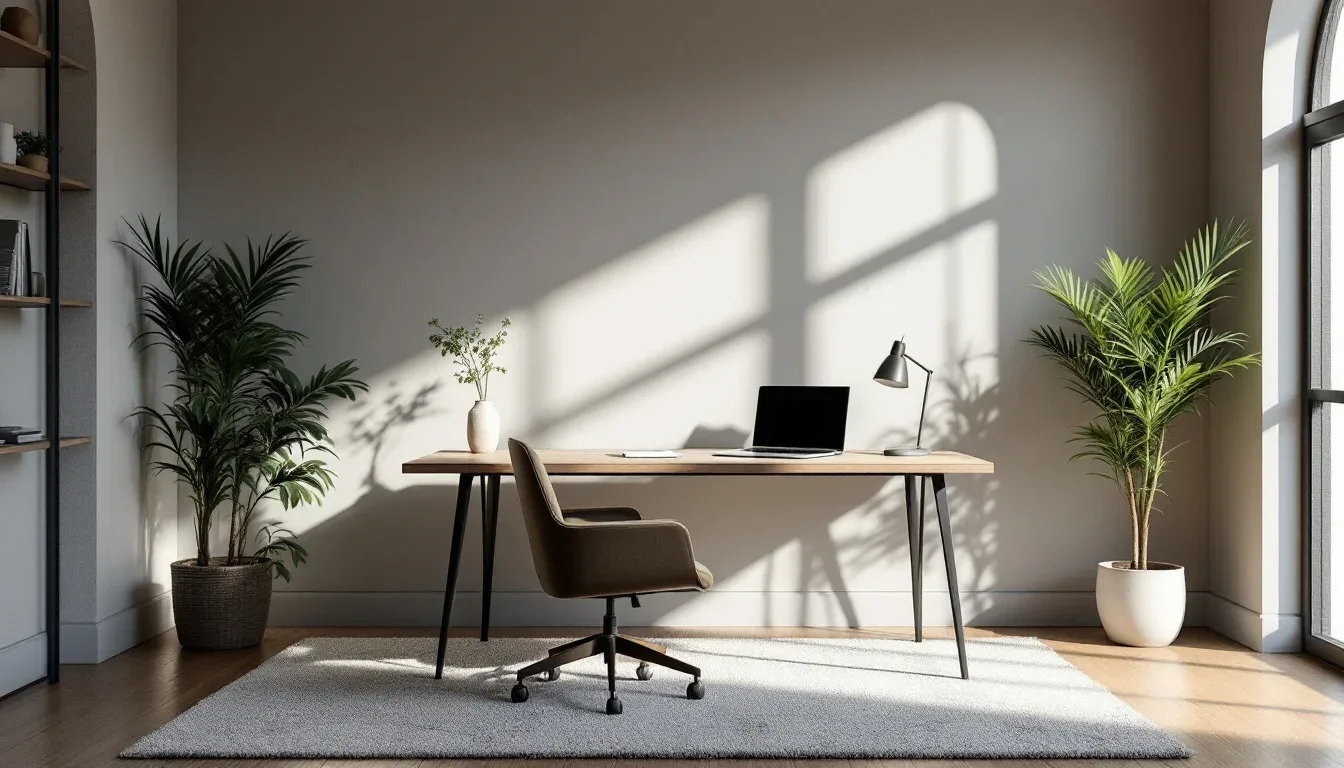
Every “pros and cons” article covers the obvious territory: floating desks save floor space, freestanding desks offer storage. Fine. You already know that. Here’s what they skip.
Floating desk downsides that don’t make most lists:
Installation errors are permanent in a way that furniture mistakes aren’t. A poorly placed freestanding desk gets moved. A floating desk installed with brackets three inches off-center from the studs stays that way until you rip it out and repair the wall. I’ve seen this create real resentment in clients — not because the desk is unsafe, but because the slight visual misalignment nags at them every single day.
Vibration transfer is real and underreported. Heavy typing, resting your elbows on the surface, even someone walking past and bumping the desk — these vibrations conduct directly into the wall stud and travel. In apartments, this can mean your typing is audible in the next room. In any space, it means your monitors have a subtle tremor that most people don’t consciously notice but find subtly fatiguing over hours.
Freestanding desk downsides that get minimized:
Cheaper freestanding models — roughly anything under $200 — wobble under dual-monitor setups in a way that makes sustained work genuinely unpleasant. The wobble isn’t dangerous, but it’s constant, and it’s the kind of thing that makes you dread sitting down at the desk. I once recommended a $160 freestanding desk to a client as a stopgap and watched her stare at it with barely concealed frustration for four months before she upgraded. Stopgaps become permanent.
Standing desk-specific downsides deserve honest acknowledgment. A 2020 study published in Ergonomics found that workers standing for more than two hours continuously reported measurable increases in lower limb discomfort. Anti-fatigue mats aren’t optional with prolonged standing — they’re a mandatory companion purchase that adds $50–$150 to your actual cost. Varicose vein risk with sustained standing is a real clinical concern, not a fringe worry.
The hidden cost almost no product review mentions: professional floating desk installation runs $150–$400 depending on location, complexity, and whether any electrical work is involved for cable management. That $180 floating desk on Amazon has a realistic installed cost closer to $350–$580.
Actionable takeaway: Add every associated cost to your comparison — installation, cable management, anti-fatigue mat, monitor arm, wall repair contingency — before you decide that one option is cheaper.
Which Desk Type Suits Your Room — A Space-by-Space Breakdown

Vague advice like “it depends on your space” deserves to be retired. Let’s be specific.
Small bedroom under 120 square feet: Floating desk wins. Floor area is your most precious resource, and a wall-mounted surface that folds up or clears completely changes how the room breathes when you’re not working. Visually, a clear floating surface reads as architecture, not furniture — it doesn’t compete with the rest of the room.
Dedicated home office with multiple monitors: Freestanding adjustable desk wins. The load capacity question resolves itself in favor of a floor-supported surface, you can reposition the desk to follow natural light as seasons change, and the ergonomic accessories — monitor arms, cable trays, keyboard trays — attach more naturally to freestanding frames.
Shared family space or living room: Freestanding wins easily. Wall damage in a room with a shared aesthetic is harder to justify and harder to hide. If the household configuration changes — kids grow up, someone moves in or out — you want that desk to relocate without consequence.
Awkward alcoves, under-stair nooks, angled study corners: Floating desk wins — and this is where it genuinely shines. A floating surface can be custom-cut to fit irregular dimensions precisely, installed at exactly the right height for the person using it, and configured in ways that no freestanding desk manufacturer has ever anticipated. I’ve installed floating surfaces in spaces that no commercial product would have fit.
Rental apartments: Freestanding wins by default. Wall modifications may violate lease terms, and even minor bracket holes can become deposit disputes depending on your landlord and market. The National Association of Realtors reported in 2023 that dedicated home office space increases median home sale prices by approximately 3–5% — which means if you own your home, the calculus shifts, because a well-installed built-in workspace may actually add value rather than just cost.
Actionable takeaway: Match your choice to the room’s role first, then refine by your work setup. The room type narrows your options faster than any other variable.
Cost Comparison: What You Actually Pay for Each Option

Sticker price comparisons are useless. Here’s the full picture.
Floating desks — true total cost:
Entry-level floating desks — surface plus brackets — run $80–$250 for decent quality. Below $80, the brackets are frequently undersized for anything beyond decorative use. Add $150–$400 for professional installation if you’re not confident locating studs, drilling into them accurately, and mounting level. Add $20–$80 for cable management conduit or raceway if you want cables managed cleanly. Add a monitor arm if your desk depth is shallow — $40–$150 for a single-monitor arm. True installed cost for a floating desk: $290–$880 for a functional, well-installed setup.
If you ever remove it — whether you move, remodel, or simply change your mind — HomeAdvisor estimates drywall repair at $150–$400 per patch area, depending on size and the complexity of matching existing paint or finish. That’s a real exit cost that most buyers don’t factor in at purchase.
Freestanding desks — true total cost:
Mid-range freestanding desks run $150–$600, with no installation cost and no exit cost. They’re resalable — a $400 freestanding desk might sell for $150–$200 on Facebook Marketplace, recovering a portion of the original spend. Electric sit-stand models range $400–$1,200, with the premium buying genuine long-term ergonomic flexibility and the ability to adapt to whatever your work setup becomes over the next five years.
What the comparison actually looks like:
| Option | Entry Cost | Installation | Hidden Costs | Exit Cost |
|---|---|---|---|---|
| Floating desk (basic) | $80–$250 | $0–$400 | $60–$230 | $150–$400 |
| Freestanding mid-range | $150–$600 | $0 | $0–$50 | $0 (resalable) |
| Sit-stand electric | $400–$1,200 | $0 | $50–$150 mat | $100–$400 resale |
Interior designers treat any fixed-mount furniture decision with the same permanence consideration as cabinetry — because once you’ve bolted into structural walls, the commitment level is genuinely equivalent to a built-in. That mental reframe changes the cost conversation entirely.
Actionable takeaway: Calculate your total installed cost including a wall-repair contingency before buying a floating desk. If the honest total exceeds a mid-range freestanding option by more than $150, the math starts favoring flexibility.
How to Choose Between a Floating Desk and a Freestanding Desk: A Decision Framework

You’ve read everything above. Here’s the fast version.
Choose a floating desk if:
- You own your home and plan to stay
- The space is small, awkward, or has no room for desk legs
- Your primary work tool is a laptop or tablet
- You’ve confirmed stud locations and the bracket spacing works
- Minimalist aesthetics matter to you and you’ve planned cable management before installation
Choose a freestanding desk if:
- You rent, or plan to move within three years
- Your work setup involves multiple monitors or heavy equipment
- More than one person will use the desk
- You want height adjustability now or in the future
- You value the ability to rearrange, resell, or repurpose
The single most useful question to ask yourself before buying: “Will my work setup change in the next three years?” If there’s any real likelihood of additional monitors, different work patterns, a different living situation, or a different body using that desk — freestanding. If your setup is genuinely stable, your space is fixed, and you own the wall, a floating desk is a smart permanent investment that a freestanding piece can never fully replicate aesthetically.
Final checklist before purchase:
- [ ] Confirm stud locations and spacing in your chosen wall
- [ ] Measure desk depth against your monitor setup and calculate bracket torque load
- [ ] Check your chair’s height adjustment range against the fixed desk height
- [ ] Calculate total installed cost — product + installation + cable management + contingency
- [ ] If renting: read your lease’s modification clause before drilling anything
- [ ] If floating: plan cable routing before, not after, installation
No desk is inherently better. The one that fits your actual constraints is.
Frequently Asked Questions
Are floating desks a good idea for daily work use?
For light, single-person use with a laptop or tablet — yes, genuinely. A properly installed floating desk is stable, space-efficient, and can last years without issue. Where they struggle is in high-demand setups: dual monitors, multiple peripherals, users who shift or lean heavily during work. The cable management challenge is also underestimated — a floating desk in a heavy-use setup without pre-planned cable routing quickly loses the clean aesthetic that made it appealing. If your daily work is relatively static and your setup is simple, floating is a legitimate daily driver. If your setup involves significant equipment or is likely to grow, freestanding is the lower-risk choice.
How much weight can a floating desk support safely?
With correct stud mounting and quality steel brackets, most floating desks can support 200–300 lbs — more than sufficient for standard single-workstation use. The number collapses dramatically without studs: drywall toggle bolts are rated for roughly 20–50 lbs in shear load, which leaves almost no safety margin once you add monitors, a desk surface, and the dynamic force of someone leaning and typing. Desk depth compounds this — deeper surfaces create more rotational torque on the brackets. Always check the manufacturer’s per-bracket load rating, assume dynamic use adds roughly 20–30% to static weight calculations, and never rely on drywall anchors alone for a working desk setup.
Do chiropractors recommend standing desks over seated ones?
Not exactly, and the nuance matters. Most chiropractic and ergonomic guidance recommends alternating between sitting and standing rather than treating standing as inherently superior. Prolonged static standing carries its own risks — lower limb fatigue, circulatory issues, and increased discomfort with sustained standing beyond two hours. What chiropractors actually advocate for is movement variability throughout the workday. A sit-stand desk used correctly — transitioning every 45–60 minutes — aligns with this recommendation. A standing-only setup held for hours doesn’t. The American Chiropractic Association’s guidance around limiting seated time without movement is really an argument for adjustability, not for standing desks specifically.
Are there downsides to using a standing desk long-term?
Yes, and they deserve honest acknowledgment. Leg fatigue is the most common complaint among people who adopt standing desks without appropriate transition time — going from fully seated to standing four or six hours a day is a physical adjustment that takes weeks. An anti-fatigue mat is effectively a mandatory purchase, adding $50–$150 to your actual cost. Research published in Ergonomics in 2020 found that workers standing more than two hours continuously reported measurable lower limb discomfort — which is why the alternating-posture model is the actual recommendation, not extended standing. Varicose vein risk with prolonged static standing is a genuine clinical consideration. A sit-stand desk used thoughtfully is excellent. A standing desk used as a standing-only desk trades lumbar problems for lower limb problems, which is not a net gain.
Your next step — today, not eventually: Get a stud finder on the wall you’re considering, take three measurements, and know whether your stud spacing supports the desk you’re looking at. That single piece of information eliminates half the confusion most people bring to this decision. If the studs don’t cooperate, freestanding isn’t a compromise — it’s the right answer.