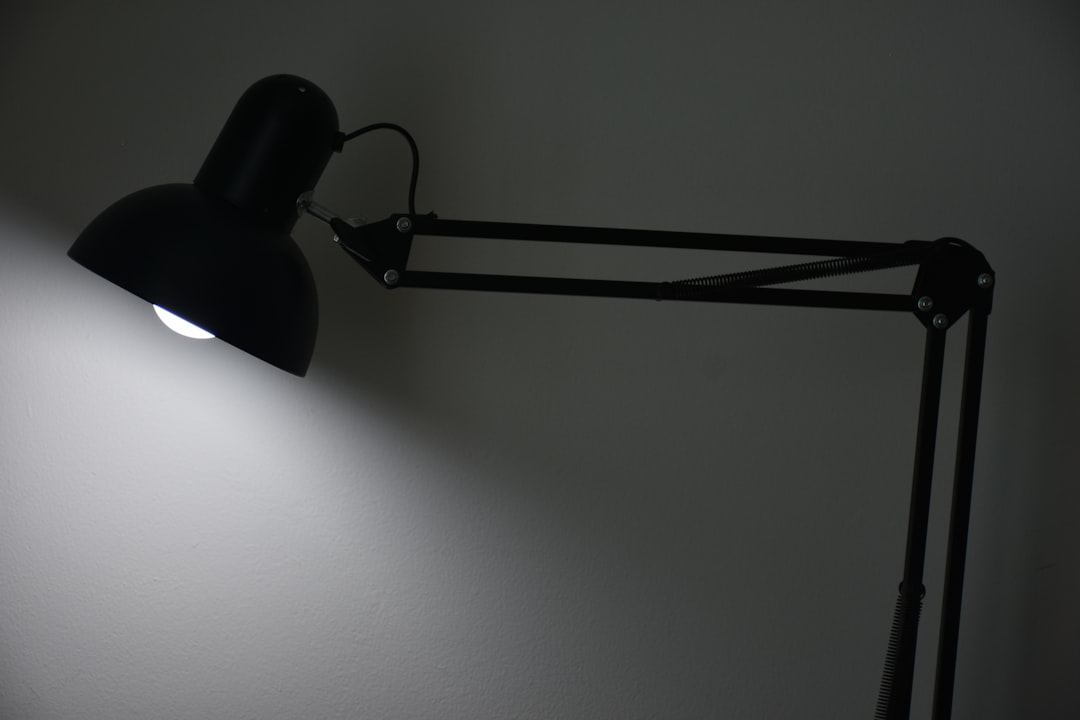
The lamp on your desk is probably the least important lighting decision you’ve made — and yet it’s the only one most people ever think about.
Quick Answer
The lamp on your desk is probably the least important lighting decision you’ve made — and yet it’s the only one most people ever think about.
Most desk setups I walked into during my years doing residential work had the same problem: one overhead fixture, one desk lamp, and an assumption that those two things together counted as “lit.” They weren’t dark. They weren’t uncomfortable in any way the person could immediately name. But by hour four of working in that space, something felt off — eyes tired, concentration slipping, a vague irritability that got blamed on the job instead of the room. The American Optometric Association reports that digital eye strain affects between 50 and 90 percent of people who work at computers regularly, and poor task lighting is consistently cited as one of the leading environmental contributors. That range is so wide because the variables are so specific to each setup. Your desk depth, your monitor brightness, your ceiling height, your window orientation — these are what determine whether your lighting is working. Not the lamp you bought.
Why Most Home Office Desk Setups Are Lit Completely Wrong
In This Article
- Why Most Home Office Desk Setups Are Lit Completely Wrong
- The Three Rules of Lighting — Applied Specifically to a Work Desk
- What the 5-7 Light Rule Actually Means for a Desk Setup
- How to Choose the Best Lighting for a Home Office Desk (Without Buying Three Wrong Lamps First)
- How to Light Up a Work Desk: Placement, Angles, and the Mistakes That Cause Glare
- The Desk Lighting Setup Nobody Talks About: Kelvin Temperature as a Productivity Tool
- Desk Lighting for Small Spaces, Shared Rooms, and Rental Constraints
- How to Style Task Lighting So It Looks as Good as It Works
“Layer your lighting” is the first thing every design article tells you. Ambient, task, accent — combine all three and call it done. It’s not wrong. It’s just not enough, and the way it gets applied to desk setups specifically tends to miss the things that actually matter.
Here’s what the layering advice never addresses: desk depth. A shallow desk — say, 20 to 24 inches — positions your monitor much closer to your face than a 30-inch-deep work surface, which completely changes the lux level you need from your task light. A lamp calibrated for one doesn’t work for the other. I spent an embarrassing amount of time troubleshooting a client’s setup before I realized the lamp we’d specified for her previous apartment was doing almost nothing in her new place because the desk geometry had changed entirely.
The real culprit behind most screen-related eye strain isn’t screen brightness — it’s the contrast ratio between your monitor and the ambient light surrounding it. Your eyes are constantly adapting to the brightness differential between what’s on screen and what’s in the room around it. That adaptation is exhausting over time. Most people reach for a brighter screen when they’re straining, which makes the contrast problem worse, not better.
The other thing layering advice ignores is kelvin temperature. A lamp in the “task” category can be anywhere from 2700K to 6500K, and those aren’t interchangeable. A 2700K warm-white lamp that looks beautiful in a living room is the wrong tool for focused cognitive work. The difference between a desk setup that photographs well and one that actually sustains eight-hour work sessions comes down to positioning and color temperature — not the lamp’s design.
A few things most desk lighting guides never mention:
- Monitor height changes the shadow angle of overhead lights across your keyboard
- Task type (reading physical documents vs. screen-only work) requires different lux levels entirely
- Time of day should be changing your lighting setup — most setups are static all day
Actionable takeaway: Before buying anything, identify your desk depth, your primary task type, and whether your current ambient light source is above, beside, or behind you. Those three variables will tell you more than any product recommendation.
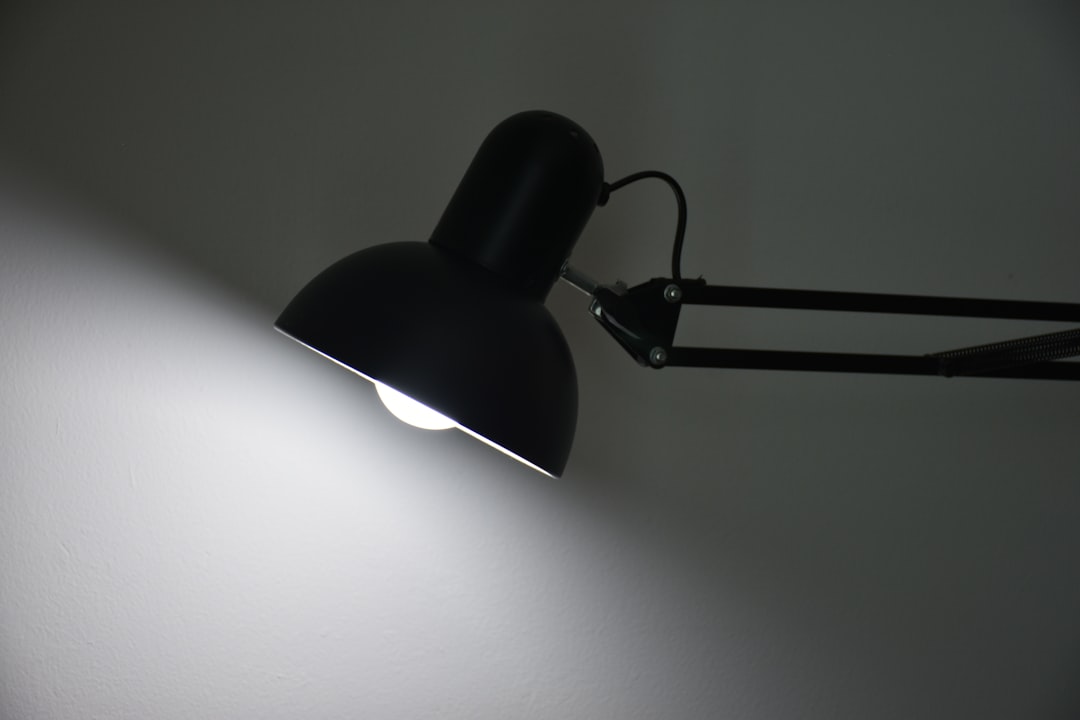
The Three Rules of Lighting — Applied Specifically to a Work Desk
Every design resource will tell you the three rules of lighting are ambient, task, and accent. That’s the category system, not the rules. The actual principles underneath — the ones that matter when you’re trying to build a functional desk environment — are different.
Rule 1: Functionality has to come first, and “functionality” is specific to your task.
A task light that’s perfect for reading physical documents is not the same thing as a task light for video calls. Reading needs higher lux and a focused beam. Video calls need softer, more diffused light at a flattering angle — which is usually in front of you, not beside you. Screen-heavy work needs lower lux and wide diffusion to reduce contrast strain. Most people pick one lamp and expect it to handle all three. It can’t. The first rule isn’t “have a task light” — it’s “know what task you’re actually lighting.”
Rule 2: Layering is not stacking fixtures — it’s managing intensity and temperature across layers.
I’ve seen home offices with five light sources that were somehow still exhausting to work in, because every source was running at full brightness and the same color temperature. The three layers should work at different intensities and different kelvin values. Workplace research has consistently shown that 4000K to 5000K (cool white) improves alertness and reduces errors during cognitively demanding tasks. Meanwhile, 2700K to 3000K supports relaxation and wind-down. Running everything at the same temperature flattens the effect.
Rule 3: Your desk lighting should follow your body’s light expectations across the day.
This is the rule nobody talks about. Your circadian rhythm responds to color temperature shifts — cooler and brighter in the morning to support alertness, warm and dim in the evening to signal rest. A desk setup that doesn’t accommodate this works against you by evening, creating a kind of neurological confusion about when the workday is supposed to end. Tunable LEDs and smart bulbs exist precisely to solve this problem.
| Time of Day | Recommended Kelvin | Brightness Level |
|---|---|---|
| Morning (6–9am) | 3000–3500K | Medium |
| Peak focus (9am–3pm) | 4000–5000K | High |
| Late afternoon (3–6pm) | 3500K | Medium |
| Evening | 2700–3000K | Low |
Actionable takeaway: Check whether your current desk lamp has dimming and color temperature control. If it doesn’t, you’re running one setting across a twelve-hour day. That’s the first thing to change.
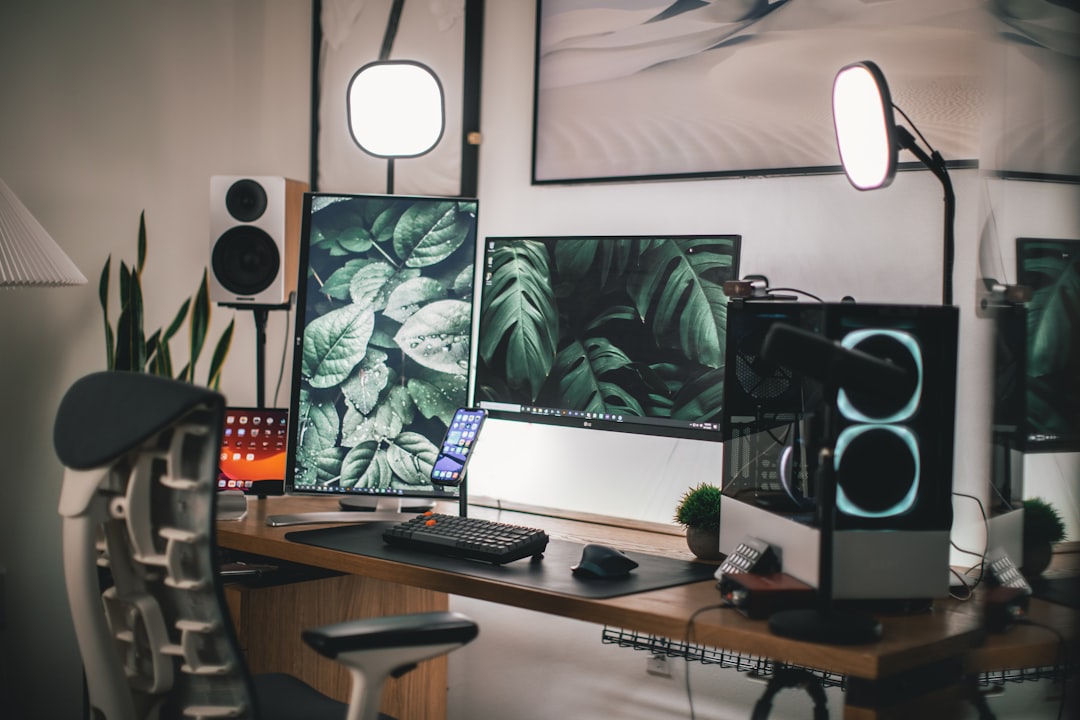
What the 5-7 Light Rule Actually Means for a Desk Setup
The 5-7 rule gets quoted constantly and explained almost never. Here’s what it actually is: an interior design principle suggesting that a room should have between five and seven distinct light sources to feel balanced, layered, and visually interesting. It is not about bulb count. A chandelier with eight bulbs is one source. A single plug-in sconce is one source. The number refers to separate, independently controllable points of light — not the total number of bulbs in the room.
The origin of this principle matters for how you apply it. Interior designers trace it to hospitality and retail design, where lighting consultants found that layered, multi-source environments extended customer dwell time — people stayed longer, engaged more, spent more. That same dynamic applies to a workspace. A room lit from a single overhead source feels transactional and fatiguing. A room with layered sources at different heights and intensities feels inhabitable. One of my earlier residential clients worked from a dark spare bedroom and could never stay at her desk past 2pm. We added four sources — none of them expensive — and the room became usable.
Applied to a desk zone specifically, five to seven sources might look like this:
- One overhead ambient source (ceiling fixture or recessed light)
- One dedicated adjustable task lamp
- One bias light strip behind the monitor
- One accent source for depth (a small LED puck under a shelf, a backlit panel)
- One natural light source if window placement allows it
The danger is applying this rule without scaling it. A small home office — say, a 9×10 room — does not need seven sources at the same intensity you’d use in a 400-square-foot living room. Cramming five fixtures into a compact desk area creates a clinical, over-lit space that feels more like a surgery room than a workspace. Scale the rule to the square footage of the space and the proportion of that space your desk actually occupies.
Actionable takeaway: Count your current light sources — not bulbs, sources. If you have fewer than three in your desk zone, you’re working in a flat light environment. Start with bias lighting behind your monitor. It’s the highest-impact addition for the lowest cost.
How to Choose the Best Lighting for a Home Office Desk (Without Buying Three Wrong Lamps First)
I bought the wrong lamp for a client once — a beautiful articulated brass thing that she loved the look of and that made her workspace genuinely worse. The beam was too narrow, the kelvin was fixed at 3000K, and it had no dimmer. It looked perfect in photos. It was useless for eight hours of document review. That experience pushed me toward a framework-first approach: figure out the conditions before specifying anything.
The first variable is desk position relative to windows.
- South-facing desk with a large window: You may not need task lighting during daylight hours at all. Your problem is glare control and indirect diffusion, not lux levels.
- North-facing or interior desk: You’re dependent on artificial light from the start of the day. Adjustability becomes critical.
- Desk perpendicular to a window: You have a shadow problem on one side — your lamp placement needs to compensate for this.
The second variable is task type. The Illuminating Engineering Society recommends 300 to 500 lux for general office tasks and up to 750 to 1,000 lux for fine detail work — sketching, reading printed documents, handwriting, crafting. Most consumer desk lamps output a single, fixed level that sits somewhere in the middle and serves neither task particularly well. Adjustability — specifically, variable color temperature and dimming — is the single most important specification to look for, more than brand, design, or price point.
The third variable is what’s on your screen. If you’re doing color-sensitive work — photo editing, video, graphic design — your monitor is already calibrated to a specific white point, and your task light’s color temperature can interfere with how you perceive color accuracy. Designers working in color typically want their ambient and task lighting to match their monitor’s white point as closely as possible.
Actionable takeaway: Before you look at a single product, write down: your desk’s window orientation, your primary task type, and whether you need color accuracy. Those three answers eliminate 80% of what’s on the market and clarify exactly what features you actually need.
How to Light Up a Work Desk: Placement, Angles, and the Mistakes That Cause Glare
Placement is where most people know one rule — put the lamp on your non-dominant side so you don’t cast a hand shadow while writing — and stop. That rule is correct. Incomplete.
Your task lamp should also sit slightly behind the plane of your monitor, not in front of it. When a lamp sits in front of and beside your monitor, the light source enters your peripheral vision at eye level. Your eye keeps catching it. Over hours, that peripheral brightness pull creates exactly the kind of adaptive fatigue that gets misattributed to screen time. Moving the lamp even four to six inches behind your monitor’s plane removes it from that peripheral zone entirely.
The second biggest placement mistake is overhead light positioned directly above the desk. A ceiling fixture or recessed can positioned directly above your workspace creates a downward shadow across your face during video calls — the kind that makes you look like you’re being interrogated — and a bright hot spot on your keyboard that creates contrast strain every time you glance down. Off-center, diffused overhead light, angled slightly in front of your position, solves both problems without any additional fixtures.
Then there’s bias lighting. It’s the most underused and highest-impact change a desk worker can make, and the principle behind it is straightforward: a bright screen against a dark wall forces your eyes into constant extreme contrast adaptation. Adding a low-wattage light source behind your monitor — typically an LED strip at around 6500K — brings up the luminance of the surrounding field and reduces that adaptation strain. NASA and the broadcast industry have studied this effect, and the research suggests that appropriate bias lighting can reduce perceived eye strain by up to 20 percent by normalizing the eye’s adaptation level. That’s not a marginal improvement. That’s significant, from a ten-dollar LED strip.
Bias light specifics that matter:
- Position: Centered on the back of the monitor, facing the wall
- Color temperature: 6500K matches most default monitor white points
- Brightness: Roughly 10% of your monitor’s peak brightness
- Width: Should extend at least to the edges of your monitor’s width for even coverage
Actionable takeaway: Move your lamp behind your monitor’s plane today — no new purchases required. Then add a bias light strip behind your monitor this week. These two changes alone will reduce your end-of-day eye fatigue more than any new lamp.
The Desk Lighting Setup Nobody Talks About: Kelvin Temperature as a Productivity Tool
Most desk lighting content tells you what kelvin temperature is. Very little of it tells you how to use it deliberately, as a tool you actually control throughout the day rather than a specification you read once when buying a bulb.
Smart bulbs and tunable LED desk lamps — the BenQ ScreenBar Halo, the Elgato Key Light, the Govee tunable options — allow you to build a lighting schedule that mirrors natural daylight patterns without doing anything consciously once it’s set up. Cool at midday, shifting warmer by late afternoon, dim and warm by early evening. This is not ambient wellness aesthetics. Research published in Lighting Research & Technology found that workers in tunable lighting environments reported measurably higher task performance scores and lower fatigue levels than those working under static-temperature lighting. That’s the entire case for spending more on a tunable lamp rather than a fixed one.
Video calls have their own specific kelvin requirement that almost nobody accounts for. The flattest, most natural-looking result on camera falls between 3500K and 4000K. Go above 5000K — which a lot of productivity-focused “daylight” lamps default to — and your skin tones shift cold and clinical on screen. This matters more than most people realize now that video presence is a professional variable. A ring light at 6500K makes you look like you’re being filmed for a documentary about sleep deprivation.
The other interaction point that gets ignored: your wall color. Warm-toned walls — creams, tans, warm grays — absorb cool light and make a space read as dim even when lux levels are adequate. Cool-toned or bright white walls amplify cool task lighting, sometimes to the point of harshness. Your task light’s kelvin temperature doesn’t exist in isolation — it interacts with every reflective surface in your workspace.
A few practical color temperature calibrations:
- Warm white (2700K): Morning warm-up, evening wind-down, creative brainstorming sessions
- Neutral white (3500–4000K): Video calls, reading, moderate cognitive tasks
- Cool white (4000–5000K): Deep focus work, data analysis, editing, anything requiring precision
- Daylight (5000–6500K): Bias lighting, color-accurate work environments
Actionable takeaway: If your desk lamp has color temperature control, set a morning preset at 3000K and a focus-hours preset at 4500K this week. Use each one deliberately for three days and notice the difference in how you feel at 4pm.
Desk Lighting for Small Spaces, Shared Rooms, and Rental Constraints
Most home office lighting content imagines a dedicated room with a door that closes. A survey by Owl Labs found that over 62% of remote workers don’t have a dedicated home office — they work from bedrooms, dining tables, living rooms, or shared multipurpose spaces. If you’re in that majority, the advice about installing a $400 overhead pendant above your desk is not for you.
Small and shared spaces require a different constraint set entirely.
Clip-on and monitor-mounted light bars are the most practical task lighting solution for compact or shared desks. They eliminate the lamp footprint completely, which matters when your desk is also sometimes a dinner table or a vanity. The BenQ ScreenBar and its competitors mount directly to the top edge of a monitor and provide tunable, adjustable light without taking up surface space or creating glare on the screen below — the design is specifically engineered to prevent that.
The bedroom desk problem is isolation. Your task light should not spill into the sleeping zone of the room, both because it disrupts a partner’s sleep and because ambient light bleed into a sleep area trains your brain to associate that zone with wakefulness. Directional shades and narrow-beam desk lamps solve this — not a diffused globe lamp that throws light in every direction. I’ve seen this mistake in nearly every bedroom-office setup I’ve consulted on. The person buys a beautiful lamp that looks right and doesn’t think about where the light actually goes.
Renters have hardwiring restrictions, which eliminates most ceiling fixture solutions. But a combination of plug-in wall sconces mounted with removable adhesive strips, a monitor-mounted light bar, and a USB-powered bias light strip behind the monitor achieves a genuinely professional result without touching a single wall permanently. The key is:
- One plug-in sconce at approximately 60 inches high, angled toward the desk (not the ceiling)
- One monitor-mounted light bar for direct task illumination
- One USB LED bias strip behind the monitor for contrast reduction
- One smart plug to control all three with a single switch or voice command
Actionable takeaway: If you work in a shared or multipurpose space, start with a monitor-mounted light bar. It solves the desk footprint problem, the shadow problem, and the screen contrast problem simultaneously — with no tools, no landlord permissions, and usually under $60.
How to Style Task Lighting So It Looks as Good as It Works
Function without form in a home workspace is a morale problem. You spend hours in that space, and a setup that works but looks bad gradually erodes your willingness to be there. I believe this fully because I’ve watched it happen — clients who had perfectly functional home offices that felt punishing to sit in, and whose productivity changed when the space started to look like somewhere worth inhabiting.
Lamp scale is the first thing most people get wrong. A lamp that’s too small for a desk reads as an afterthought — like you grabbed whatever was nearby rather than chose anything. The lamp base should be roughly 1.5 times the height of other objects in the desk’s visual hierarchy: your monitor riser, any plant, your pen holder. That proportion creates visual anchoring. Too short and the lamp disappears behind things; too tall and it dominates awkwardly.
The finish relationship between your lamp and your other desk hardware matters more than matching it. A brass lamp, a chrome monitor arm, and a matte black keyboard reads as accidental — three people decorated that desk on three separate days. The approach I keep coming back to: pick one metal finish for the lamp and deliberately echo it in one other object. That creates a thread without forcing a “set.” It looks considered rather than coordinated, which is the difference between a designed space and a display model.
Cord management is the lighting detail that has the highest visual impact for the lowest cost, and almost nobody addresses it seriously. A beautifully specified desk lamp loses most of its visual coherence when its cord runs visibly across the desk surface, down the wall, and snakes to an outlet. The solutions are all accessible:
- Cable channels (adhesive-mounted, paintable) for cords running along walls
- Desk grommets for running cords through the desk surface to a power strip below
- Fabric-wrapped cords for lamps where the cord is exposed and part of the visual
- Cable clips that attach to the back edge of the desk and route cords cleanly out of sightlines
Interior designers follow the 60-30-10 rule for color distribution — 60% dominant color, 30% secondary, 10% accent. Your desk lamp and the light it casts fall within that 10% accent zone, meaning the lamp should complement the palette you’ve already established, not introduce a new color temperature conflict. A bright blue task lamp on a warm wood desk with amber accents isn’t wrong because of the color — it’s wrong because it competes with the story the rest of the desk is telling.
Actionable takeaway: Look at your desk from six feet away. If the lamp cord is visible from that distance, spend fifteen minutes and five dollars on cable clips today. The visual difference is immediate and disproportionate to the effort.
Frequently Asked Questions
What is the 5-7 light rule?
The 5-7 light rule is an interior design principle that suggests a room should have between five and seven distinct, independently functioning light sources to feel visually balanced and layered. The key word is “sources” — not bulbs. A chandelier with twelve bulbs counts as one source. A plug-in sconce is one source. The principle comes from hospitality and retail design, where researchers found that multi-source lighting environments kept people engaged longer and felt more comfortable than single-source rooms.
Applied to a home office or desk zone, this typically means: one overhead ambient source, one adjustable task lamp, one bias light behind the monitor, and one or two accent sources for depth and visual interest. The rule should be scaled to room size — in a small home office, three to four well-chosen sources usually achieve the same effect that five to seven would in a larger room. Applying it rigidly to a small space creates over-lit, clinical environments that work against focus.
What is the best lighting for a home office desk?
There isn’t a single best lamp — the right answer depends on three variables specific to your setup: your desk’s position relative to windows, your primary task type, and whether you need color accuracy for your work.
A south-facing desk with good natural light may not need task lighting during daylight hours at all — the priority there is glare control. A north-facing or interior desk depends entirely on artificial light and needs a tunable, dimmable lamp that can shift across the day. For fine detail work, you need higher lux and a focused beam; for screen-heavy work, you need lower lux and wider diffusion to reduce contrast strain.
The Illuminating Engineering Society recommends 300–500 lux for general office work and 750–1,000 lux for detail tasks. Most fixed-output desk lamps sit somewhere in the middle and serve neither particularly well. The feature that matters most — more than brand or design — is variable color temperature combined with dimming. A tunable lamp at $80 outperforms a beautiful fixed lamp at $300 for all-day desk use.
What are the three rules of lighting?
Most sources will tell you the three rules are ambient, task, and accent — but those are categories, not rules. The actual principles are:
1. Functionality first. Your task light must serve the specific task you’re performing. Reading, writing, screen work, and video calls each have different lux and color temperature requirements. One fixed lamp serving all four is a compromise that serves none well.
2. Layering is about intensity and temperature, not just fixture type. Three layers running at the same brightness and kelvin value create a flat, fatiguing environment. The layers should work at different intensities and different color temperatures to create depth and shift across the day. Cool and bright during peak focus hours (4000–5000K), warm and low during evening work or wind-down.
3. Lighting should follow your body’s expectations across the day. Your circadian rhythm responds to color temperature shifts the same way it responds to natural daylight. A static desk lighting setup that doesn’t allow for morning warmth, midday alertness, and evening wind-down is working against your natural focus and rest cycles, not with them.
How to light up a work desk?
Start with placement before products. The most common desk lighting mistakes are fixable without buying anything new.
First, position your task lamp on your non-dominant side, and make sure it sits slightly behind your monitor’s plane — not in front of it. A lamp in front of your monitor enters your peripheral vision at eye level, causing the adaptive fatigue that gets misattributed to screen time.
Second, add bias lighting behind your monitor. An LED strip at 6500K, centered on the back of the monitor and facing the wall, reduces the contrast between your bright screen and a dark wall. This single change reduces eye strain more measurably than most lamp upgrades.
Third, check your overhead light position. A ceiling fixture directly above your desk casts a downward shadow across your face on video calls and creates a glare hot spot on your keyboard. Slightly off-center, diffused overhead light solves both.
Finally, get control of kelvin temperature. If your current lamp has no dimming and no color temperature adjustment, that’s the single upgrade that will make the most difference. A tunable LED desk lamp that you can shift from 3000K in the morning to 4500K during focus hours and back to 3000K by evening works with your body instead of against it.
Start today by doing one thing: turn off your overhead light and work with just your desk lamp for an hour. Notice where the shadows fall, where your eyes keep being pulled, and whether the light feels right for what you’re doing. That one experiment will tell you more about what your setup actually needs than any lighting guide — including this one.