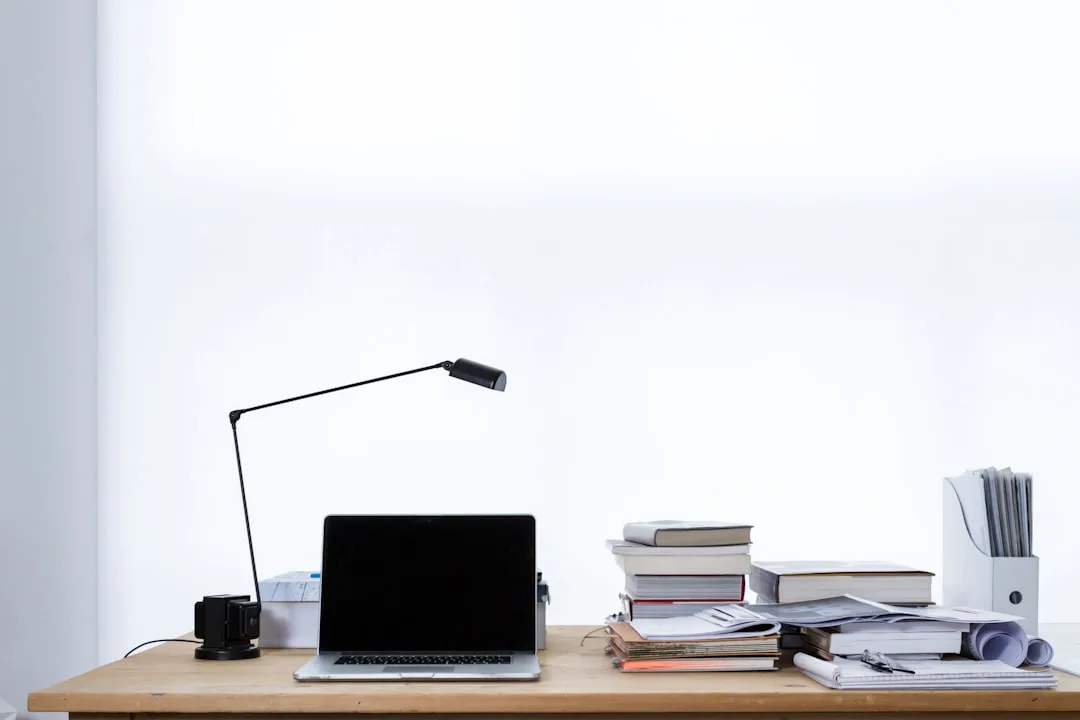
If you’re searching for home office lighting ideas no overhead fixtures required, you’re already asking the right question — and you’re in better company than you think. The room you work in has no ceiling light — and the single desk lamp you bought is somehow making everything feel worse, not better.
Quick Answer
The room you work in has no ceiling light — and the single desk lamp you bought is somehow making everything feel worse, not better.
That’s not an accident, and it’s not your taste in lamps. It’s a structural problem: one light source in a room designed for zero will always create exactly the wrong effect. High contrast. Visual fatigue. A workspace that feels like an interrogation room on one side and a cave on the other. I spent over a decade placing light sources in apartments where the electrical panel hadn’t been touched since the Eisenhower administration, and the single-lamp mistake was the one I saw most often — even from people who genuinely cared about their space.
This isn’t about aesthetics. It’s about how a room feels to work in for six, eight, ten hours. And getting that right without touching a single ceiling wire is completely doable if you understand a few things your lamp’s packaging will never tell you.
How to Light a Work Space With No Overhead Lighting
In This Article
Older buildings and rental apartments share a frustrating electrical reality: switched ceiling outlets were not standard practice before the 1980s. Builders wired bedrooms and secondary rooms for wall outlets and called it done. According to the U.S. Census Bureau, approximately 40% of rental units were built before 1980 — which means an enormous portion of home office lighting ideas no overhead solutions are being improvised in rooms that were never designed to have ceiling fixtures. This is not a design flaw you need to fix. It’s a constraint you need to design around.
The core principle is this: one light source is never enough, but you don’t need a contractor to get more.
What overhead lighting actually does — and what makes its absence so disorienting — is distribute light across an entire room from a single elevated point, reducing contrast between surfaces and giving your eyes somewhere to rest beyond your task area. You can replicate that function entirely with portable fixtures. But only if you treat them as a system rather than a collection of individual lamps you happened to buy on different occasions.
The framework I kept coming back to in client installs was a three-zone approach:
- Task zone — direct, positioned light for the work surface itself
- Ambient zone — a broader, softer source that raises the room’s baseline brightness
- Perimeter or accent zone — low-level sources that reduce contrast at the room’s edges and create visual depth
Every room has a different proportion of these three. A 10×10 spare bedroom needs a more aggressive ambient source than a 14×12 dedicated office because it has fewer surfaces to reflect light back into the space. The point isn’t to follow a template — it’s to consciously address all three zones rather than defaulting to one lamp on a desk and hoping for the best.
Actionable takeaway: Before buying anything, identify where your three zones are in your specific room. Stand in the doorway and find the darkest corner, the primary work surface, and any wall behind or beside your monitor. Those are your targets.
Building Your Three-Zone System: Specific Fixtures That Actually Work
Understanding the zones is one thing. Knowing what to put in each is where most people stall out. Here’s how to approach each zone with fixture types that solve real problems, not just fill space.
Task Zone: What Goes on or Near Your Desk
The task zone is where precision matters most. You need directional, adjustable light that you can reposition as your work changes — reference documents on the left one hour, a secondary screen on the right the next. A fixed-arm lamp fails this test immediately.
Look for lamps with at minimum two pivot points: one at the base and one at the head. Architect-style lamps — the kind with a jointed arm that folds and extends — were designed specifically for drafting tables where the work surface changes constantly. They translate directly to desk work for the same reason. The Anglepoise original design from the 1930s is still the mechanical benchmark; modern versions from BenQ, Elgato, and Humanscale have added dimming, color temperature adjustment, and USB charging without solving the core problem any better than a well-made Anglepoise clone.
For the task zone specifically: aim for a bulb in the 2700–3000K range if you work primarily with text and physical documents. If you work with color — design files, photography, fabric samples — go to 4000K and prioritize a lamp with a CRI (Color Rendering Index) of 90 or above. CRI below 80 makes color decisions unreliable regardless of how many lumens the bulb produces.
Ambient Zone: Replacing What the Ceiling Fixture Would Do
This is where most home office lighting ideas no overhead setups fall completely apart. People address the task zone and ignore everything else, then wonder why the room still feels wrong at 3pm.
The ambient zone needs a light source that throws illumination broadly — ideally upward or toward a large wall — so that reflected light softens the room’s overall contrast. A torchiere floor lamp with a frosted or translucent shade is the most efficient portable solution for this. Position it in a corner behind your primary seating position, aimed upward. The ceiling becomes a passive reflector. A white or light-colored ceiling can add 6–10 foot-candles of ambient illumination to a 12×12 room from a single 1500-lumen torchiere — not enough alone, but transformative when layered.
If your ceilings are dark or heavily textured (a common problem in older buildings with original plaster), redirect the torchiere toward the largest light-colored wall instead. The physics is the same: you’re converting a point source into a broad reflective surface.
Pendant lights on cord sets are the other underused solution here. A plug-in pendant with a cord-and-canopy kit costs between $30 and $80 in materials, requires no electrical work, and can be positioned from any ceiling hook. Most apartments allow small ceiling hooks without requiring repairs on departure — check your lease, but a properly installed swag hook leaves a hole smaller than a finishing nail. This gives you the visual and functional effect of overhead lighting without a single licensed contractor.
Perimeter Zone: The Zone Everyone Forgets
The perimeter zone is where the room starts to feel like a space someone actually designed rather than a place where lamps were deposited. Low-level sources at the edges of the room — behind a monitor, under a bookshelf, along a baseboard — serve one specific function: they compress the contrast ratio between your brightest surface and your darkest corner.
Human eyes don’t experience brightness in isolation. They experience it relative to the surrounding environment. A 400-lumen desk lamp in a room where the ambient light is 10 lumens creates a contrast ratio that forces constant pupil adjustment — which is what causes eye fatigue in dim rooms even when your task lighting is technically adequate. Adding 50–100 lumens at the room’s perimeter can have a disproportionately large effect on comfort because it changes the reference point, not the task light itself.
LED strip lights on the back of a monitor (a practice called bias lighting) are the easiest entry point here. Position them so the light hits the wall behind the screen, not your eyes directly. At 6500K, they’re clinically supported as a fatigue reducer for screen-heavy work. At 2700K, they’re warmer and better for rooms where you’ll be working into the evening. Smart strips like Govee or Philips Hue Gradient allow color temperature adjustment on a schedule — worth the cost if your work hours vary significantly.
What Is the 5’7″ Lighting Rule and Why It Changes Everything
Most lamp placement advice is vague in a way that drives me insane. “Position your lamp at eye level.” Okay — eye level sitting or standing? Measured from what? To what part of the lamp? Here’s the version with actual numbers behind it.
The 5’7″ rule states that the center of a lamp shade, or the primary point of light emission, should sit at approximately 54–58 inches from the floor when you’re doing task work at a desk. That measurement corresponds to the rough seated eye level of an average adult — which is why it minimizes both glare and shadow simultaneously. Light that sits above that threshold casts downward shadows on your face and bounces off your screen. Light that sits below it throws unflattering upward shadows and illuminates your chin like you’re telling a campfire story.
For a standard 30-inch desk, this means you’re looking for a lamp whose base-to-shade-center measurement falls between 23 and 27 inches. Most “desk lamps” on the market sit between 18 and 22 inches — which explains why so many people feel vaguely uncomfortable working under them without being able to articulate why.
The floor lamp problem is worse. I once watched a client position a floor lamp directly behind her monitor — the common instinct — and spend two weeks complaining that she got headaches by noon. The lamp was 62 inches tall with a drum shade, which put the light source eight inches above her eye line. Every surface in her sightline had a reflection. Moving it 18 inches to the left and replacing the bulb dropped her from “daily headaches” to “occasionally tired by 4pm.” Same lamp. Different position.
The Illuminating Engineering Society recommends that task lighting at the work surface deliver 50–70 foot-candles of illumination — a number that is nearly impossible to achieve with a single misplaced floor lamp, but genuinely achievable when placement is guided by something like the 5’7″ principle. Foot-candles drop off sharply with distance and angle. A lamp that’s 10 inches too tall isn’t delivering 10% less light where it matters; depending on the shade geometry, it may be delivering 30–40% less.
- Seated eye level: approximately 44–48 inches from the floor (varies by chair and height)
- Ideal shade center for task work: 54–58 inches (slightly above eye level to avoid glare at screen angle)
- For a 30″ desk: lamp base-to-shade-center should be 23–27″
- Floor lamps for task use: position the shade center, not the base, at 54–58″
Actionable takeaway: Take a tape measure right now. Measure 56 inches from the floor and put a piece of tape there. That’s where the center of your task lamp shade should land.
Why Gen Z Refuses Overhead Lighting — And What They Do Instead
This gets written off as an aesthetic preference — a TikTok thing, a vibe thing. It isn’t. Or at least, it isn’t only that.
Overhead fluorescents and cool-white LEDs emit light in the 5000–6500K range with a strong blue-spectrum component. That’s not inherently bad at 9am. But the body uses light as a primary circadian signal — and sustained exposure to blue-spectrum light at high angles mimics midday sun in a way that actively suppresses melatonin production. For people whose work hours bleed into evenings, or who work remotely and never fully separate “work mode” from “home mode,” overhead lighting keeps the nervous system in a state of alertness that becomes difficult to exit. That’s not aesthetic discomfort. That’s physiology.
A 2022 survey by Lexi Home found that 73% of respondents aged 18–26 described overhead lighting as “harsh” or “unflattering” — but the more interesting finding was that the same group reported significantly higher rates of difficulty sleeping after evening work sessions when their workspace used overhead fixtures versus layered portable lighting. The preference for warm, low, multiple-source lighting isn’t a generational quirk. It’s an intuitive response to a real biological signal that older generations largely ignored because they didn’t have the vocabulary to name it.
What younger remote workers have figured out — partly through TikTok, partly through trial and error in small apartments — is that controlling the angle and color temperature of their light sources gives them a tool for regulating their own arousal state across the day. Bright, cooler light in the morning to support alertness. Warmer, lower, more diffuse sources in the afternoon and evening to begin the transition toward rest. This is sometimes called “dynamic lighting” in commercial contexts, and office designers have been implementing it in corporate spaces for years. The difference is that Gen Z workers are doing it ad hoc with plug-in lamps and LED strips, in rooms that were never designed for it, and frequently getting better results than fluorescent-ceiling offices that cost ten times as much to build out.
The practical applications for home office lighting ideas no overhead setups translate directly from what this cohort has worked out by necessity:
- Morning setup: task lamp at 3500–4000K, ambient torchiere on full brightness, perimeter strips off or at minimum
- Midday setup: all sources on, task lamp adjusted for document or screen work, no changes needed
- Late afternoon/evening setup: task lamp dimmed to 60–70%, shifted to 2700K if adjustable, torchiere off or replaced by a table lamp at lower height and warmer temperature, perimeter strips at warm white
This isn’t about mood lighting. It’s about using the tools you already have — or can have, for under $200 total — to support your biology rather than fight it.
Common Mistakes That Make No-Overhead Rooms Worse
Even with the right framework, there are a handful of errors that reliably undermine otherwise good setups. These come up repeatedly in rooms that have multiple lamps but still feel wrong.
Buying all lamps at the same color temperature. A room lit entirely by 2700K sources can feel warm and comfortable for evening reading but genuinely fatiguing for sustained focus work during the day. The issue isn’t the individual bulbs — it’s that every source in the room is pulling in the same direction. Using a 3000–3500K task light against 2700K ambient sources gives your eyes a reference point for the work surface without making the whole room feel clinical. Variety within a narrower range (2700–4000K) is almost always better than uniformity at any single temperature.
Pointing floor lamps directly at the work surface. A floor lamp positioned to act as a desk lamp is almost never at the right height, angle, or distance to do the job properly. Floor lamps solve the ambient problem. They rarely solve the task problem. Using them for both simultaneously usually means compromising both.
Ignoring the wall behind the monitor. The wall your screen faces is the most visually present surface in your workspace, and if it’s significantly darker than your screen, your eyes are constantly recalibrating. A single sconce, plug-in wall light, or even a LED picture light directed at that wall can eliminate more fatigue than switching to a more expensive monitor. This is consistently the highest-return intervention in no-overhead rooms and consistently the most overlooked one.
Using opaque shades on ambient sources. A drum shade with an opaque liner pushes light down and out, which is useful for task lamps but counterproductive for ambient ones. Ambient sources should use translucent or open-top shades that allow light to reach the ceiling and upper walls. If your floor lamp has a solid shade, you’re getting about 40% of its potential ambient contribution.
FAQ: Home Office Lighting Ideas No Overhead
Can I get enough light to work comfortably without any overhead fixture at all?
Yes — if you use multiple sources strategically. A single lamp almost never achieves adequate illumination because it creates excessive contrast between the lit and unlit portions of the room. Two or three sources positioned across the three zones described above can match or exceed the functional performance of a ceiling fixture. The key difference is that you have more control over angle and temperature than a standard overhead light allows anyway.
What’s the minimum number of lamps I need for a functional no-overhead home office?
Three sources is the practical minimum for a room where you’ll spend full workdays: one task lamp, one ambient source, and one perimeter or accent source. In a very small room (under 100 square feet), a torchiere and a well-positioned desk lamp can sometimes handle both the ambient and task zones, reducing the minimum to two. Below two sources, the contrast problem described above almost always reappears.
Are LED strip lights actually useful for work, or are they just decorative?
They’re genuinely useful when positioned correctly. Strips placed behind a monitor as bias lighting reduce the contrast ratio between the screen and the wall behind it, which measurably reduces eye strain during extended screen work — this has been documented in display calibration research for over a decade. Strips used as decorative perimeter lighting (under shelves, along baseboards) serve the same function at the room level: reducing the contrast between bright areas and dark edges. The key is color temperature. Warm strips (2700K) support evening work comfort. Cooler strips (5000–6500K) behind a monitor are more effective for reducing daytime eye fatigue.
How do I light a home office in a room with dark walls or dark ceilings without making it feel dim?
Dark surfaces absorb rather than reflect light, which eliminates your ability to use indirect or bounce lighting effectively. In these rooms, you need to shift toward direct light sources positioned closer to the work area rather than relying on reflected light. Increase the number of perimeter sources along the lower portion of the walls — where light travels to the work surface directly rather than bouncing off dark upper surfaces. Also consider a daylight-spectrum task lamp (4000K, CRI 90+) to compensate for the warmth that dark walls tend to add visually. The room will feel lower in contrast than a light-walled room regardless, but it doesn’t need to feel dim.
Is it worth buying smart bulbs for a no-overhead home office setup?
For the ambient and perimeter zones, yes — if your schedule varies significantly across the day or week. The ability to shift color temperature and brightness on a schedule, or with a single voice command, makes the transition between work and non-work modes considerably easier to maintain. For the task lamp specifically, manual dimming is usually sufficient because task requirements change minute-to-minute in ways that scheduled automations can’t anticipate. A hybrid approach — smart bulbs in your ambient and perimeter sources, a manually adjustable task lamp — gives you the best of both without overspending.